Who Controls Your Shopping Experience
🌐 Separate creative performance from shopping recommendations then simplify browser research with ChatGPT

Hello Readers 🥰
Welcome to today's edition, bringing the latest growth stories fresh to your inbox.
If your pal sent this to you, then subscribe to be the savviest marketer in the room😉
In Partnership with LeadPost
98% of your website visitors leave without saying a word.
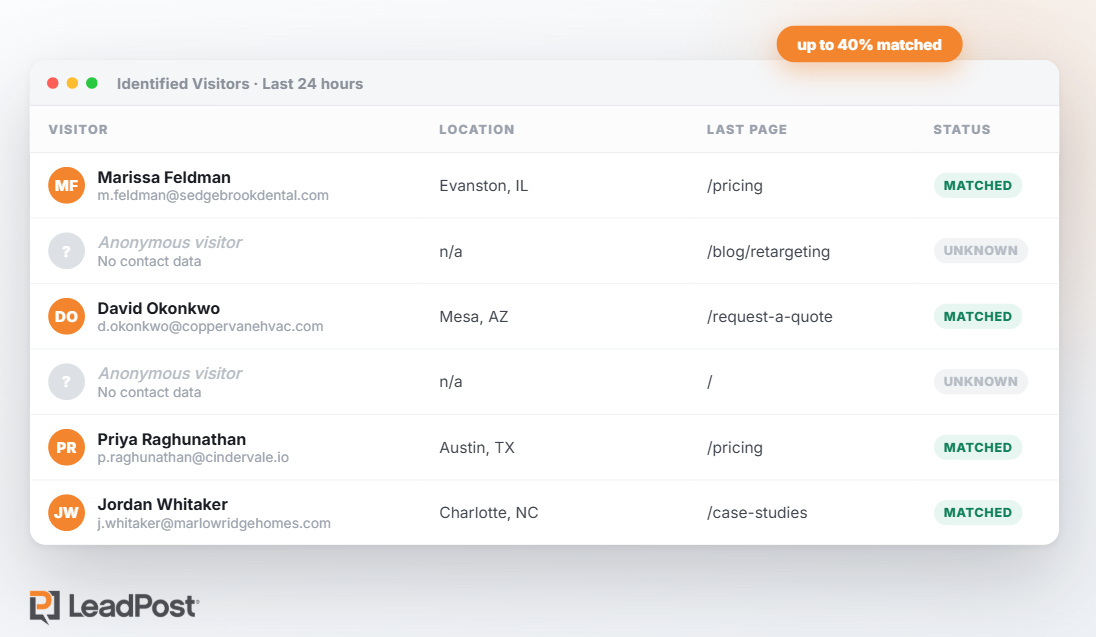
You pay to get people to your site. Most of them look around, don't fill out anything, and vanish. Your analytics can tell you a session happened. It can't tell you who it was, and it definitely can't email them.
LeadPost closes that gap. Add one line of code and it identifies up to 40% of your anonymous traffic with verified names, emails, and mailing addresses, with no form required, then syncs them into HubSpot, Salesforce, Klaviyo, or wherever you already work.
Growth Pulse readers can turn it on free for 14 days. No credit card, no sales call. Install the tag and see who's been showing up all along.
*14-day free trial, up to 200 leads. No credit card required. U.S. website visitors only. Works best on sites with at least 1,000 unique monthly visitors.
Keep Product Browsing From Clouding Your Ad Tests
An upcoming advertising change could affect how shoppers experience your ads. According to the advertiser notice, product browsing will switch on for many eligible existing ads from October 28 unless advertisers opt out.
Instead of going directly to your website, shoppers may see an in app shopping experience with product details and personalized recommendations.
That extra experience can make creative performance harder to interpret during major sales.
Steps to Keep Your Creative Tests Clear:
1️⃣ Review the advertiser notice:
Check whether your account and existing ads are affected. If you want to preserve the current shopping journey through the holiday sale period, use the opt out before October 28.
2️⃣ Check every new and duplicated ad:
Review the product browsing option under creative enhancement and destination settings. Duplicating an ad may switch the feature back on, so inspect each copy before publishing.
3️⃣ Look beyond reported conversions:
A stronger conversion result may partly reflect product recommendations rather than the creative alone. Monitor average order value, website conversion, and margin before increasing spend on an apparent winner.
4️⃣ Control the products shoppers see:
Review your product sets so recommendations align with your intended offer. Check the experience for returning shoppers and retargeting audiences too.
5️⃣ Test catalog experiences deliberately:
If product recommendations support your strategy, give them a dedicated campaign, budget, and product set. This makes comparisons with your other creative tests easier to interpret.
The Takeaway
A change in the shopping journey can change what your advertising results mean. Review the settings before the rollout, check duplicated ads, and assess business outcomes alongside platform reporting before deciding what deserves more budget.
Turn Your Chrome Tabs Into Better Decisions
Comparing several pricing pages can mean switching tabs, checking features, and recalculating costs. ChatGPT’s Chrome extension brings those pages into one conversation so you can compare options and organize the tabs you need.
Start in Chat to review information, then use Work where available for a browser action you approve.
Steps to Compare and Organize Your Tabs
1️⃣Set up the extension
Install the official ChatGPT extension from OpenAI and open its side panel. For your first attempt, use a practice Chrome profile with public pages.
2️⃣Define your comparison
Open three pricing pages and tell ChatGPT exactly which tabs to read. Share your team size, required features, budget, and preferred billing period so the comparison reflects your needs.
3️⃣ Verify the details
Check the comparison against the original pages. Confirm the total cost for your entire team and distinguish annual billing from monthly billing. Leave missing information unverified rather than filling gaps with assumptions.
4️⃣ Organize the selected tabs
Switch to Work where available and ask ChatGPT to group only those three tabs. Review the proposed list before the action, then check that the correct group appears in Chrome.
5️⃣ Request a focused recommendation
Ask for a short recommendation with source links and one unresolved question. Keep the task focused on research and tab organization without starting trials, making purchases, or sending messages.
The Takeaway
ChatGPT can help turn open tabs into a clearer comparison and a more organized workspace. Give it specific sources and requirements, verify the important details, and check billing terms before deciding which option fits.
We'd love to hear your feedback on today's issue! Simply reply to this email and share your thoughts on how we can improve our content and format.
Have a great day, and we'll be back again with more such content 😍