Which Ad Numbers Are Real?
🧮 The three way check every scaling decision needs, plus an AI shortcut for video VFX

Hello Readers 🥰
Welcome to today's edition, bringing the latest growth stories fresh to your inbox.
If your pal sent this to you, then subscribe to be the savviest marketer in the room😉
In Partnership with Staples
Save up to $130 on print orders with Staples.
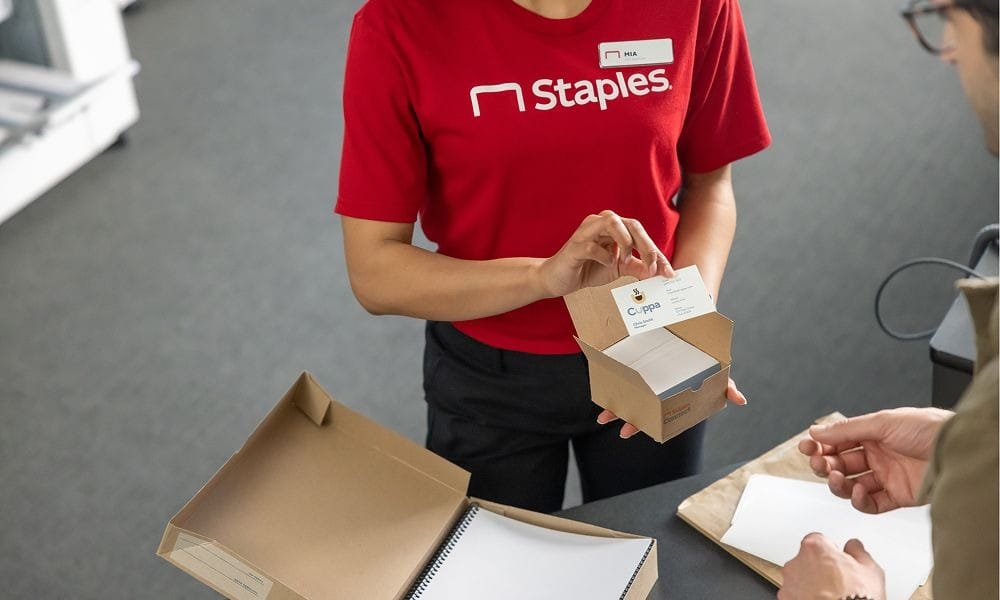
Getting your business noticed on a budget is hard, especially without the right help.
With Staples, Print & Marketing Services, it’s easy to boost your business’s presence. Running a promotion? Hosting an event? Launching something new? Staples makes it easy to create, customize, and print exactly what you need, when you need it.
Think flyers that fly in the foot traffic, direct mailers that get right to the source, outdoor banners that’ll outlast any weather, and so much more.
Choose from ready-to-go templates or upload your own designs, then pick up in store or have it delivered straight to your business. Some prints are even available the same day when you order by 12 pm.
Click here to save up to $130 off custom print orders with Staples.
🔺 The Attribution Triangle: How to Know Which Numbers to Trust
Meta leans more on modeled conversions every quarter. Privacy constraints mean it cannot observe every conversion directly, so it estimates instead. That means a single number from a single source is not reliable enough to guide a scale decision. The fix is a simple cross check: compare Meta's own reporting against a third party tool like Triple Whale, Northbeam, or GA4, and against Shopify. Some variance between the three is normal, since each tool uses different attribution logic and a different lookback window.
Here is how to run the check when Ads Manager and Events Manager totals do not match:
1️⃣ Check Events Manager
Confirm the Pixel is firing correctly, CAPI is connected, no duplicate purchase warnings are showing, and event IDs are passed consistently.
2️⃣ Check Ads Manager
Look at which attribution window is selected, confirm purchases are credited to the correct campaigns, and check whether reporting is delayed.
3️⃣ Check Shopify
Count how many orders actually came through. This is your source of truth for revenue and order count.
4️⃣ Review the attribution window
Moving from 7 day click / 1 day view to a shorter window can shift reported purchase counts materially. 1 day click is too narrow for long term decisions, though it earns its keep during short spike periods like promos or BFCM. 7 day click / 1 day view gives the bigger picture but risks double counting a purchase another platform already claims. Default to 7 day click for anything that changes budget at scale.
The Takeaway
No single dashboard tells the whole story. Cross checking Meta, a third party tool, and Shopify before scaling a budget decision protects you from acting on modeled numbers that do not match reality. Shopify stays the final word on revenue and orders.
🎬 Add CGI to Any Video with Higgsfield
Want to add AI VFX to your videos without touching a timeline editor? Higgsfield makes it simple to drop CGI elements into short clips using AI. Whether for social content, marketing, or creative experiments, you can generate and refine cinematic effects in just a few steps. Here's a step by step guide to get started:
Steps to Add CGI to a Video Using Higgsfield:
1️⃣ Pick the Right Footage
Start with a short video that gives the model room to work. Wide shots with a clear subject, simple motion, and a visible background produce the best results.
2️⃣ Draft a Strong Prompt with ChatGPT
Before opening Higgsfield, use ChatGPT to tighten your CGI prompt. Ask it to be specific about what to add and what should stay untouched in the original footage.
3️⃣ Generate the Edit in Higgsfield
Open Gemini Omni Flash inside Higgsfield under the video tab. Upload your source clip, paste in the prompt from ChatGPT, and click generate.
4️⃣ Review and Refine
Compare the generated clip against the original. You can revise directly in Higgsfield or start over with a new prompt if the result misses the mark.
The Takeaway
Higgsfield turns a multi step VFX process into a simple three tool workflow. By pairing ChatGPT for prompt writing with Higgsfield and Gemini Omni Flash for generation, you can add convincing CGI to everyday footage without any manual editing skill. Pick your clip, sharpen your prompt, and let the AI handle the rest.
We'd love to hear your feedback on today's issue! Simply reply to this email and share your thoughts on how we can improve our content and format.
Have a great day, and we'll be back again with more such content 😍