The Science Of Brand Recall
🎨 How brands stay discoverable while AI transforms 3D modeling

Hello Readers 🥰
Welcome to today's edition, bringing the latest growth stories fresh to your inbox.
If your pal sent this to you, then subscribe to be the savviest marketer in the room😉
In Partnership with Modash
The creators you're betting on might be the wrong ones.
Most influencer programs don't fail on execution. They fail on selection. The roster looked right, the content went out, and the numbers still didn't move.
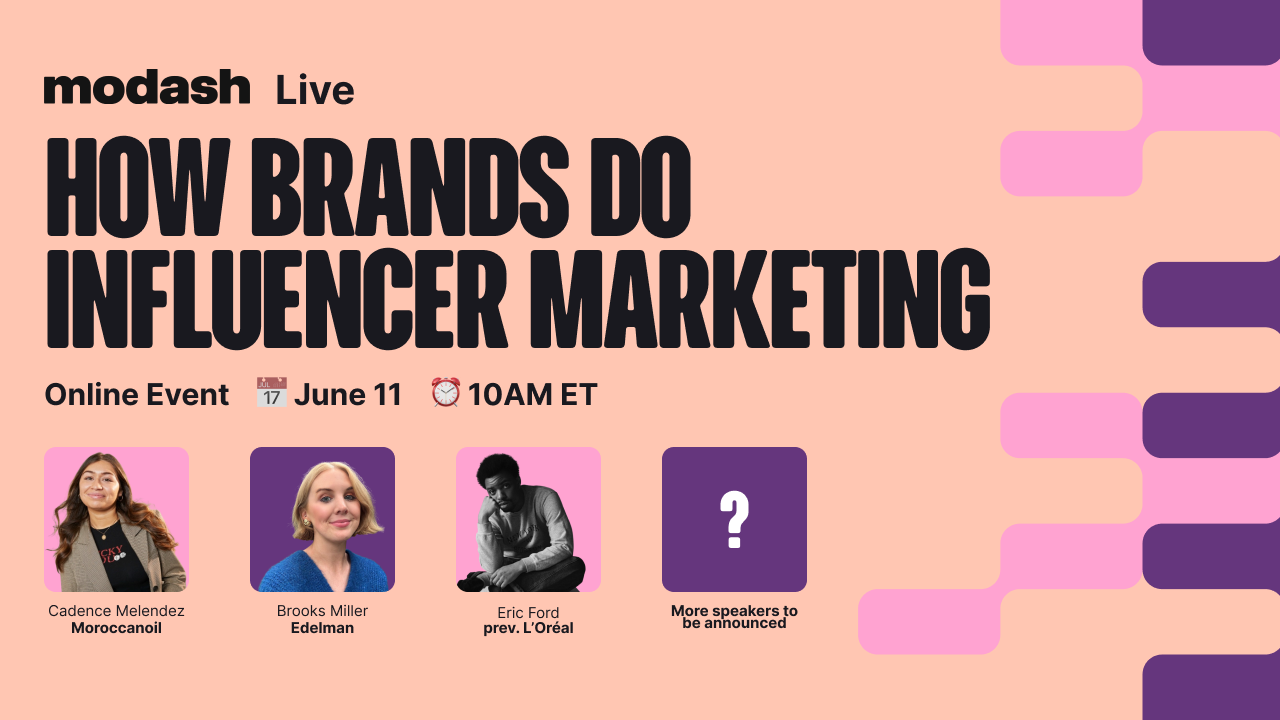
On June 11th, Modash is hosting a free 3-hour session with the brand-side teams behind some of the most closely watched creator programs in the industry.
→ Why the creators who look perfect for your brand are often the worst fit for your launch → 3 rules Edelman uses to predict whether a creator will move perception or just move impressions → Why your highest-reach creators are often your lowest-trust ones, and what L'Oréal's team does instead
Cadence Melendez, Influencer Marketing at Moroccanoil, Brooks Miller, EVP of Creator Marketing at Edelman, and Eric Ford, formerly Global Communications at L'Oréal, are all on stage.
You’ll walk away knowing exactly which creators on your current roster don't belong there, and how to fix that before your next launch costs you.
Can't make it live? Register anyway, and they'll send you the replay.
📝 Win The Search Before It Happens
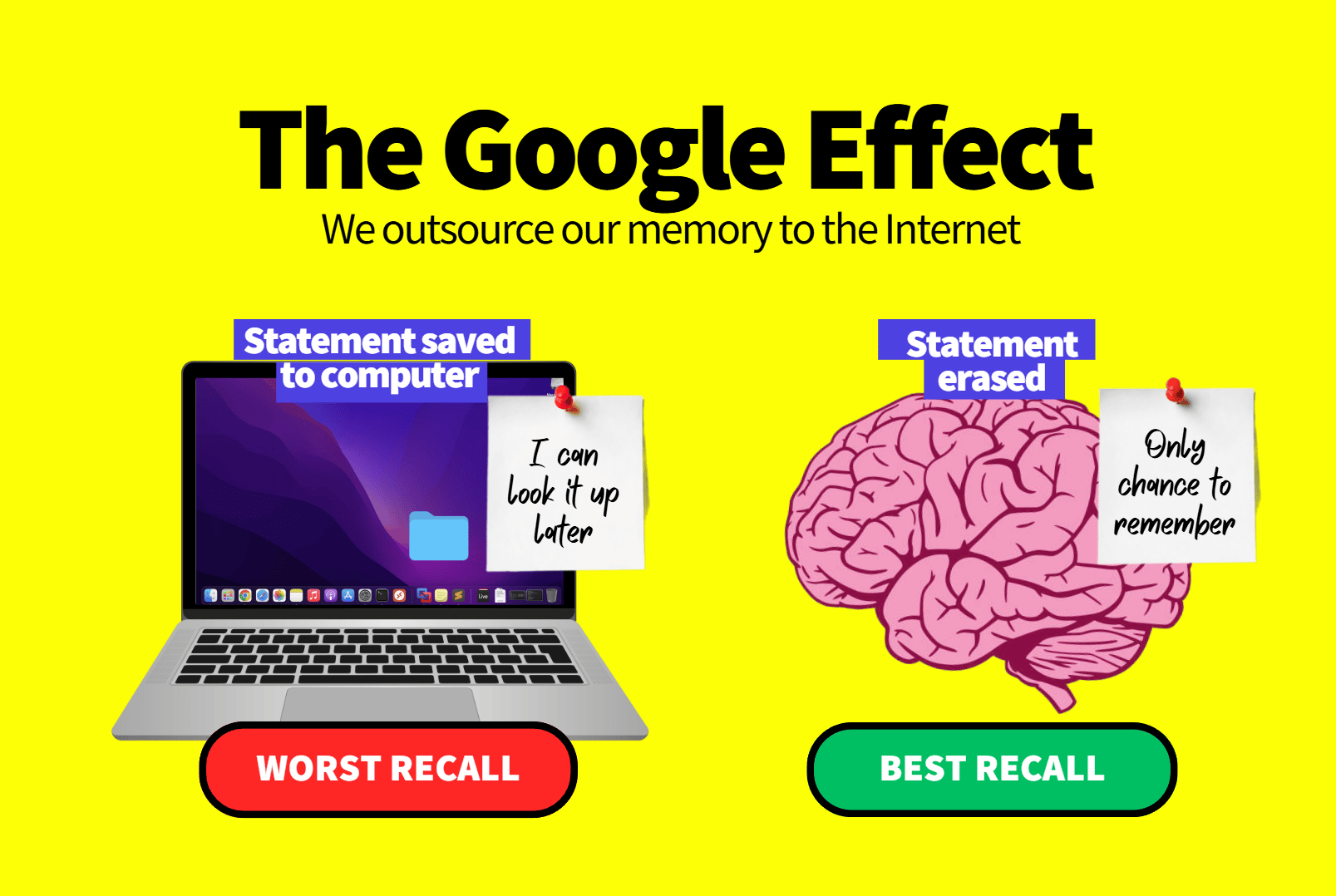
Why do customers forget brands so quickly? The answer lies in a psychological phenomenon known as the Google Effect, sometimes called digital amnesia. When people know information can be easily found later, they stop trying to remember it.
Researchers discovered this by asking participants to type trivia statements into a computer. Some were told their entries would be saved, while others were told the information would be deleted. Those who believed the information would disappear remembered it far better. Meanwhile, participants who expected the data to be stored remembered where to find it, but not the information itself.
Today, this behavior extends beyond search engines. People increasingly rely on AI assistants, online tools, and digital platforms as external memory systems. Instead of remembering details, they remember where those details can be found.
For marketers, this creates an important challenge and opportunity.
1️⃣ Become the shortcut
Customers won't remember every feature, specification, or benefit of your product. What they do remember is a simple association. Your goal is to become the first brand people think of when a specific need arises.
2️⃣ Engineer rediscovery
Since buyers often search again before making a decision, ensure your content appears when they need answers. Helpful articles, guides, and educational resources increase the chances of being rediscovered at the perfect moment.
3️⃣ Stay visible during decision making
Many shoppers leave without purchasing and plan to return later. The problem is they often forget where they started. Strategic follow-ups and reminders can bring them back before they begin a new search.
4️⃣ Focus on accessibility over memorability
Instead of expecting customers to remember every detail, make information easy to find whenever they need it. Consistent visibility creates familiarity and trust over time.
The Takeaway
Customers no longer store every product detail in their minds. They store retrieval paths. The brands that win aren't always the most memorable. They're the easiest to rediscover when buying intent returns.
📝 Create 3D Models with Claude and Blender
Creating professional 3D scenes usually requires hours of manual modeling, lighting adjustments, and camera setup. But by connecting Claude Code to Blender through MCP, you can use simple natural language prompts to build and edit complex 3D projects without needing deep technical expertise.
Whether you're creating product mockups, event visuals, marketing assets, or creative concepts, this workflow makes 3D design significantly more accessible.
Steps to Create 3D Models Using Claude and Blender:
1️⃣ Install Blender and MCP
Download and install Blender along with its MCP extension. Once installed, open Blender and navigate to Edit > Preferences. Search for MCP and enable the extension to allow external AI communication.
2️⃣ Connect Claude to Blender
Open Claude Code in your project folder through Terminal and connect Blender using the MCP setup commands. This establishes a direct communication channel between Claude and your Blender environment.
3️⃣ Verify the Connection
Before creating anything, ask Claude to confirm that the configuration is working correctly. It can check the MCP settings, verify the server connection, confirm host and port details, and ensure Blender is properly registered and ready to receive instructions.
4️⃣ Generate a 3D Scene with Prompts
Once connected, simply describe what you want. For example, ask Claude to create your name in 3D, add lighting effects, reflective materials, decorative objects, and position the camera like a professional event poster. Claude can translate plain English instructions into Blender actions.
5️⃣ Enhance Existing Projects
Import models from resources like BlenderKit and use Claude to arrange objects, adjust lighting, optimize materials, and prepare high-quality renders without manually editing every element.
The Takeaway
Claude and Blender transform 3D design into a conversational experience. Instead of navigating complex menus and workflows, you can describe your vision in plain English and let AI handle much of the technical execution, making professional-quality 3D creation faster and more accessible than ever.
We'd love to hear your feedback on today's issue! Simply reply to this email and share your thoughts on how we can improve our content and format.
Have a great day, and we'll be back again with more such content 😍