The Future Of Meta Advertising
📈 Learn smarter Meta ad automation plus Codex workflows saving hours of manual clicking

Hello Readers 🥰
Welcome to today's edition, bringing the latest growth stories fresh to your inbox.
If your pal sent this to you, then subscribe to be the savviest marketer in the room😉
In Partnership with Insense
Your Audience Has Seen Your Best Ad 47 Times.
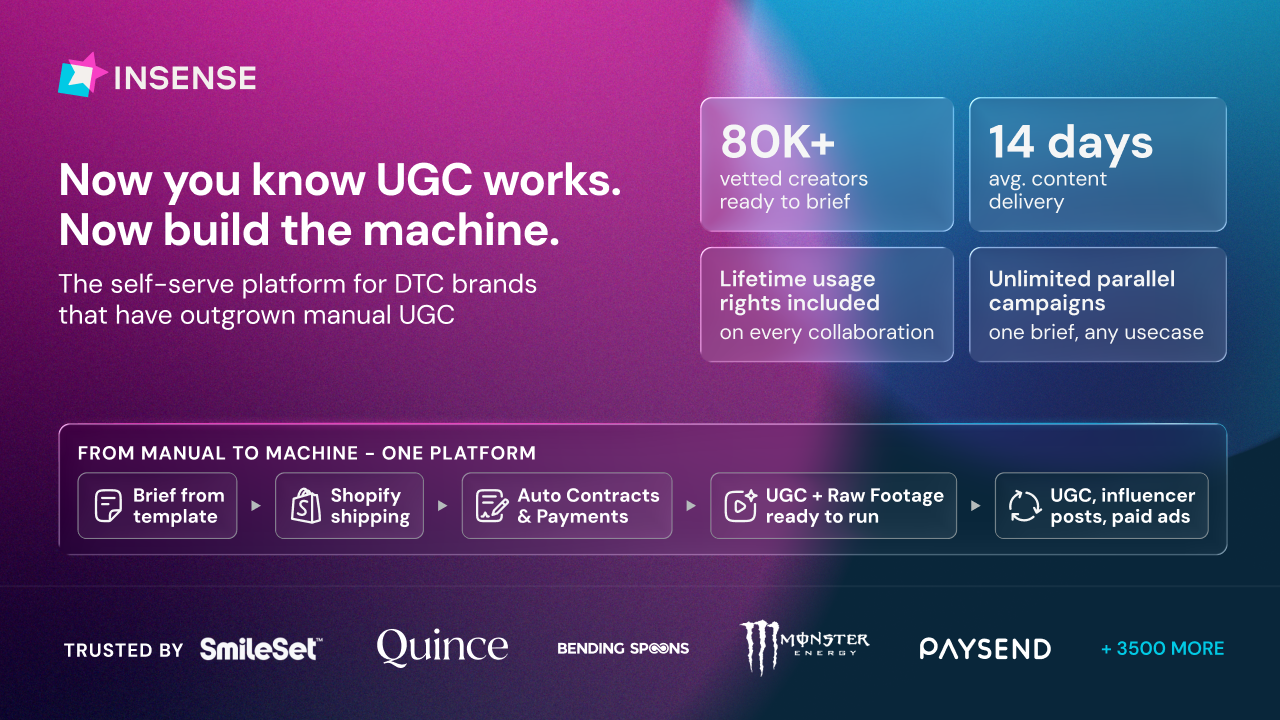
Your January ads carried you through Q1. They won't carry you through Q2. Audiences have seen them, CPCs are climbing, and what felt like a creative win three months ago is actively hurting you now.
Every day you run the same creative, you're training your audience to scroll past you.
Over 3,500 brands and agencies trust Insense to fix exactly that. Get matched with high-fit UGC creators from an 80,000+ vetted pool across 30+ industries in under 48 hours, with full lifetime usage rights on every asset.
No cold outreach. No back-and-forth. Creators who match your brief apply to you.
Here's what that looks like in practice:
- Revolut: 350+ UGC assets across 140+ creators in 10+ countries.
- goPure: 150+ videos at zero cost through product seeding.
- Maty's: 12x higher reach via TikTok Spark Ads at $0.60 CPC.
The brands that book this week will have fresh creative running before May.
Book a free strategy call today and get a $200 platform credit towards your first campaign.
📝 Let AI Agents Run Your Meta Ads
AI agents can now plug directly into your campaigns and help manage analysis, optimization, and execution in real time.
Steps to Connect AI Agents to Your Ad Account:
1️⃣ Choose Your Setup Path
Pick the setup option that matches your comfort level. Some AI connectors work with simple account authorization, allowing you to start prompting immediately without code or technical setup.
2️⃣ Start With Read-Only Access
Before giving the agent permission to make changes, run it in analysis mode for at least a week. Compare its recommendations with your manual decisions to evaluate accuracy and build trust.
3️⃣ Spot Creative Fatigue Automatically
Train your agent to identify ads with falling CTRs or declining performance trends. It can flag weak creatives, pause underperformers, and suggest new creative angles for testing.
4️⃣ Optimize Budgets Using Real Revenue
Connect your revenue data with your ad metrics so the agent can optimize based on actual profit rather than platform-reported returns alone.
5️⃣ Scale Creative Testing Faster
Feed high-performing creatives into the system and let the agent generate multiple testing variations automatically to accelerate experimentation and creative iteration.
The Takeaway
AI agents are evolving beyond simple assistants. They are becoming operational partners capable of supporting real media buying decisions inside ad accounts. Start with a low-risk setup, monitor performance carefully, and gradually expand automation as confidence in the system grows.
📝 Automate Repetitive Work With Codex
Codex can now interact directly with your computer using Computer Use capabilities on Mac and Windows, helping automate tasks across browsers, apps, and local workflows.
Steps to Automate Tasks With Codex:
1️⃣ Enable The Computer Use Plugin
Open Codex and navigate to the Plugins section. Find the Computer Use plugin, enable it, and create a new task session to begin controlling local applications and workflows.
2️⃣ Grant Full Access Permissions
Open the permissions settings and switch from Default permissions to Full access. Confirm any system prompts so Codex can interact with applications, windows, browsers, and files on your device.
3️⃣ Give Codex A Real Workflow
Provide a detailed instruction describing the task you want automated.
Example prompt:
“Open Chrome and debug this web page UI I’m developing at
http://localhost:3000/
. Reproduce the issue I describe, investigate the bug, and explain what might be causing it before making changes.”
The more context you provide, the better the execution quality.
4️⃣ Use It For Browser Tasks
Codex can click through websites, navigate dashboards, test user flows, and help identify interface or functionality issues automatically.
5️⃣ Automate Local Software Workflows
The system also works with desktop applications. You can automate repetitive Photoshop exports, Adobe Premiere cleanup tasks, bulk file renaming, spreadsheet formatting, and many other manual workflows.
The Takeaway
Codex is evolving beyond simple code generation. By combining AI reasoning with direct computer interaction, it can now handle repetitive digital tasks across browsers and local apps, helping reduce manual work and accelerate execution across everyday workflows.
We'd love to hear your feedback on today's issue! Simply reply to this email and share your thoughts on how we can improve our content and format.
Have a great day, and we'll be back again with more such content 😍