Sell more using emotional triggers
🎯 How feelings influence buying decisions plus how to automate work across devices

Hello Readers 🥰
Welcome to today's edition, bringing the latest growth stories fresh to your inbox.
If your pal sent this to you, then subscribe to be the savviest marketer in the room😉
In Partnership with EZ Texting
Your Business Just Got A New Team Member
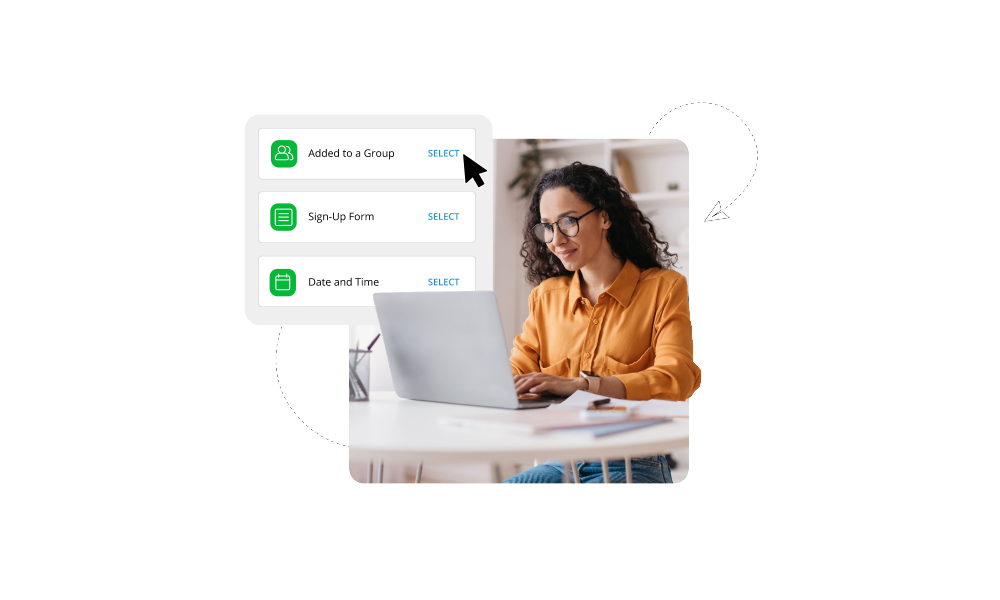
What if your business suddenly had an extra team member, one who reads every incoming text, writes thoughtful replies in seconds, and helps create campaigns whenever you need them?
With EZ Texting’s AI tools, that’s exactly what you get.
AI Reply learns from your website, knowledge base, and documents to respond to customers accurately and on-brand with just a click and with AI Compose, you can generate text campaigns in seconds instead of spending an afternoon writing them.
Growth Gen readers can try AI-powered texting with a free EZ Texting trial - no commitment and no credit card required.*
Try AI Texting Free at EZTexting
📝 The Psychology Behind Why People Buy
Why do people make impulsive purchases when emotions run high, but hesitate when thinking logically? The answer lies in a powerful concept known as the affect heuristic. It explains a simple truth: people make decisions based on how they feel, not just what they think.
Understanding the Affect Heuristic:
1️⃣ Emotions shape perception:
Research shows that emotions influence how people evaluate risks and rewards. When feelings are strong, logic often takes a backseat. This is why decisions made in emotional states tend to be faster and less analytical.
2️⃣ Most decisions are emotional:
A large majority of buying decisions are driven by emotion. People justify purchases with logic later, but the initial trigger is almost always a feeling.
3️⃣ Emotions carry over:
Feelings from one situation can influence decisions in another. This means your customer’s mood before they even see your product can affect whether they buy or not.
How to Apply This in Marketing:
E commerce:
Use contrast and discomfort strategically. Highlighting a problem in a vivid or even slightly unpleasant way can push customers toward a solution faster.
Tech and digital products:
Tap into nostalgia. Familiar memories and cultural references instantly create emotional connection and make your message more memorable.
Retail and hospitality:
Tell compelling stories. Stories help customers imagine experiences and feel something deeper than just product features.
Service businesses:
Design for emotional needs. Sometimes the best offer is not functional but emotional, like creating calm, quiet, or relief in an otherwise stressful experience.
The Takeaway
People do not buy products. They buy feelings. If you want to increase conversions, design your messaging and experiences around the emotions you want your audience to feel.
📝 Let Claude Work on Your Computer Remotely
Managing tasks across devices just got easier. With Dispatch, Claude can now take instructions from your phone and execute them directly on your computer. This creates a seamless workflow where work continues even when you step away from your desk.
Whether you want to organize files, clean up emails, or manage projects, Dispatch turns Claude into a background assistant that keeps things moving.
Steps to Use Dispatch with Claude:
1️⃣ Update Your Apps:
Start by updating the Claude Desktop app on your computer through the toolbar settings. Make sure your mobile app is also updated so both devices can sync properly and support Dispatch features.
2️⃣ Enable Dispatch on Desktop:
Open the Desktop app and navigate to the Dispatch section. Click “Get started” and enable key permissions like file access and keep-awake mode. This ensures Claude can interact with your files and continue working without interruptions.
3️⃣ Pair Your Phone and Computer:
Follow the prompts to connect your mobile app with your desktop. Once paired, both devices will stay in sync, allowing you to control tasks remotely.
4️⃣ Send Tasks from Your Phone:
You can now assign tasks directly from your phone. For example, ask Claude to organize folders, clean up documents, or process files. Claude will execute these tasks on your computer in real time.
5️⃣ Review and Continue Seamlessly:
Once the task is complete, check the results on either your desktop or phone. The conversation remains synced, so you can continue working without restarting or losing context.
The Takeaway
Dispatch transforms Claude into a cross-device productivity assistant. It allows you to delegate tasks anytime, ensuring your work progresses even when you are away from your computer.
Offer valid for new customers only. Use promo code EZWORKFLOW at checkout.
We'd love to hear your feedback on today's issue! Simply reply to this email and share your thoughts on how we can improve our content and format.
Have a great day, and we'll be back again with more such content 😍