Scale without losing what you built
⚡ Master the unsexy work behind scaling brands, plus Microsoft brings native AI agents to your terminal

Hello Readers 🥰
Welcome to today's edition, bringing the latest growth stories fresh to your inbox.
If your pal sent this to you, then subscribe to be the savviest marketer in the room😉
In Partnership with Insense
Your Audience Has Seen Your Best Ad 47 Times.
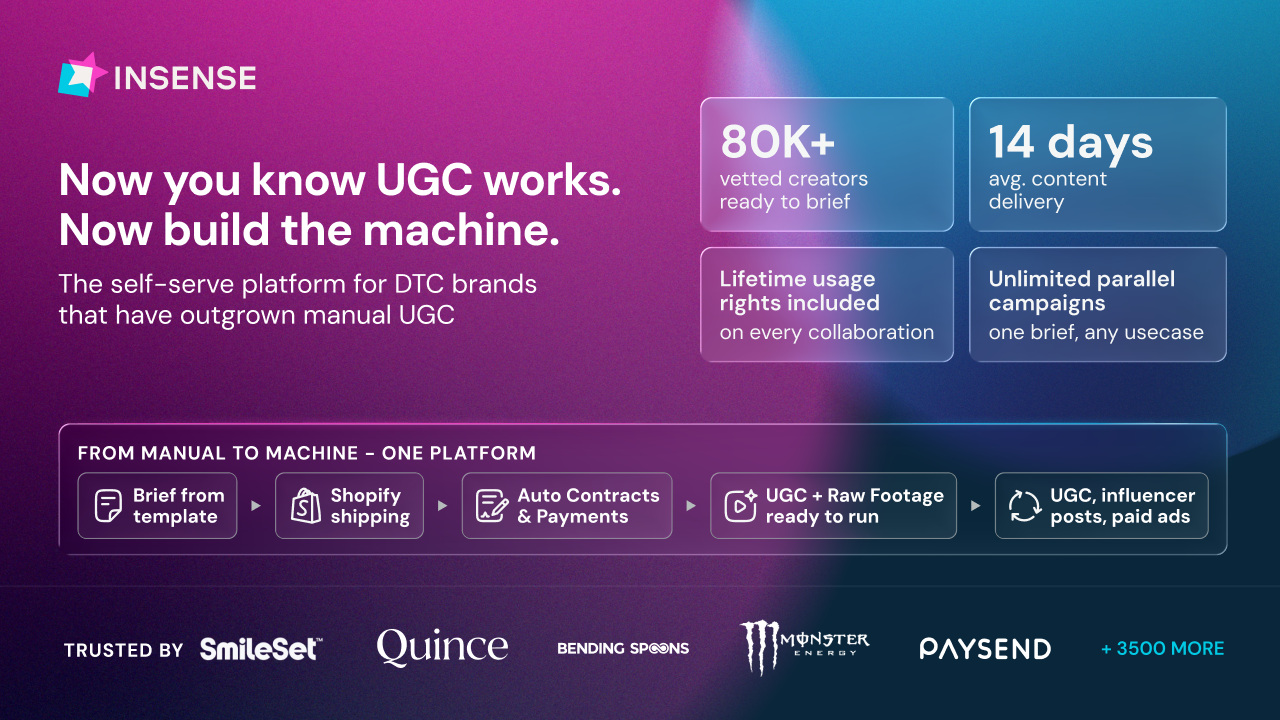
Your January ads carried you through Q1. They won't carry you through Q2. Audiences have seen them, CPCs are climbing, and what felt like a creative win three months ago is actively hurting you now.
Every day you run the same creative, you're training your audience to scroll past you.
Over 3,500 brands and agencies trust Insense to fix exactly that. Get matched with high-fit UGC creators from an 80,000+ vetted pool across 30+ industries in under 48 hours, with full lifetime usage rights on every asset.
No cold outreach. No back-and-forth. Creators who match your brief apply to you.
Here's what that looks like in practice:
- Revolut: 350+ UGC assets across 140+ creators in 10+ countries.
- goPure: 150+ videos at zero cost through product seeding.
- Maty's: 12x higher reach via TikTok Spark Ads at $0.60 CPC.
The brands that book this week will have fresh creative running before May.
Book a free strategy call and get a $200 platform credit towards your first campaign.
📝 How to Build a Brand That Scales Without Burning Out
Scaling a brand without outside capital sounds inspiring until you hit the ceiling. Here's what actually separates founders who break through from those who plateau, and a step-by-step framework to apply it today.
Steps to Scale Smarter:
1️⃣ Know When to Stop Going Alone
Bootstrapping isn't a badge. It's a tool. The right time to bring in a partner is when the constraint shifts from cash to capability- the network, supply chain, or operational muscle you simply can't build alone.
2️⃣ Vet Partners Like You Vet Hires
Before your next raise or agency deal, write down three things your partner must bring the check beyond. If they can't credibly deliver two of them, the deal is wrong regardless of the terms.
3️⃣ Replace Spy Tools with Real Conversations
Stop reverse-engineering competitor ads. Start reverse-engineering your customer. Get one high-value buyer on a 30-minute unscripted call this week. Surveys give you the what. Conversations give you the why, and the why is what your creative runs on.
4️⃣ Treat AI as Infrastructure, Not a Content Tool
Decision engines answer where to price, manufacture, and allocate. Execution engines act on it. Build both. A solopreneur with clean data can now run plays that once required an enterprise team.
5️⃣ Clean Your Data Before Adding AI
AI on messy systems just breaks faster. Block four hours this week to audit your messiest operational workflow. The cleanup is the AI project. The model on top is the easy part.
The Takeaway
Capital, channels, and AI all compound on top of strong fundamentals. They don't replace them. Start with the unsexy work and everything else gets easier.
📝 Run AI Agents Directly in Your Terminal with Microsoft
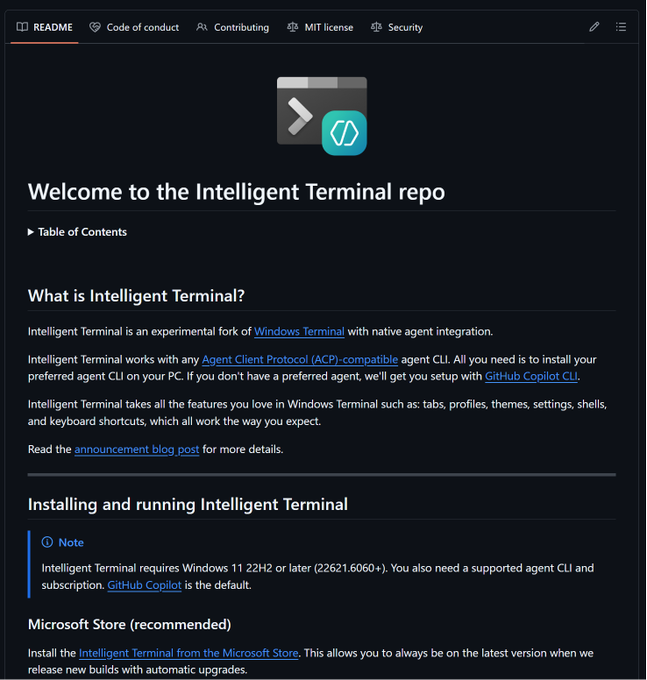
Microsoft just changed how developers interact with AI agents. The new Intelligent Terminal brings native agent integration straight into your command line, no switching tabs, no copy-pasting outputs. Here's how to get started in minutes.
Steps to Use Microsoft Intelligent Terminal:
1️⃣ Check Your System Requirements
Make sure you're running Windows 11 22H2 or later (build 22621.6060 or higher). You'll also need a supported agent CLI and subscription. GitHub Copilot comes as the default, but it works with any Agent Client Protocol compatible CLI, including Codex, Claude, and Gemini.
2️⃣ Install with a Single Command
Open your existing terminal and run this one line: winget install Microsoft.IntelligentTerminal. Since it's a fork of Windows Terminal, it installs alongside your regular setup without replacing anything you already use.
3️⃣ Set Up Your Preferred Agent
Once installed, connect your agent CLI of choice. If you don't have one yet, Microsoft will walk you through setting up GitHub Copilot automatically on first launch.
4️⃣ Explore the Core Features
Once running, you get access to the full feature set including an agent status bar, a dedicated agent pane for pair-programming, automatic error detection, multi-agent management to run several agents simultaneously, and a command palette to kick off tasks instantly.
5️⃣ Stay Updated via Microsoft Store
For the smoothest experience, install through the Microsoft Store. This keeps you on the latest build automatically as Microsoft ships new updates.
The Takeaway
Microsoft Intelligent Terminal is version 0.1, meaning the best is still ahead. For developers already living in the command line, this is the fastest way to bring AI agent workflows into your existing environment without disrupting anything. Install it today and explore the full repo on GitHub.
We'd love to hear your feedback on today's issue! Simply reply to this email and share your thoughts on how we can improve our content and format.
Have a great day, and we'll be back again with more such content 😍