Metrics changed not your results
🚨 Attribution shift decoded plus free local coding setup guide

Hello Readers 🥰
Welcome to today's edition, bringing the latest growth stories fresh to your inbox.
If your pal sent this to you, then subscribe to be the savviest marketer in the room😉
In Partnership with PrettyDamnQucik
Your checkout is leaking. Your analytics just won't tell you where.
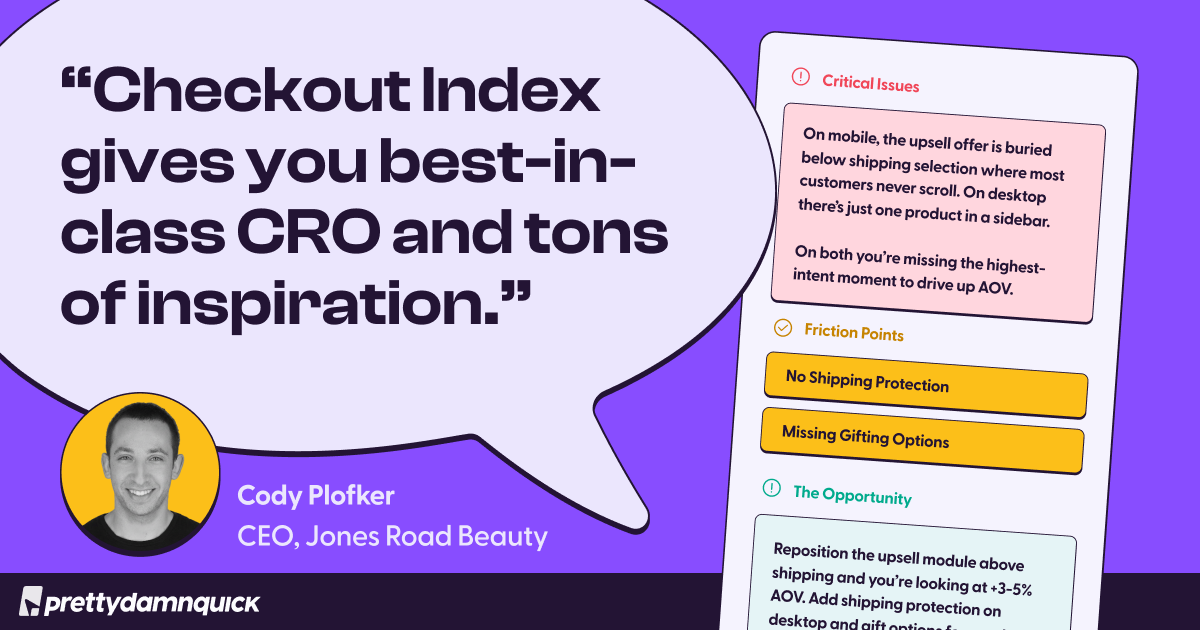
You can see your CVR. You can see your AOV. What you can't see is exactly which part of your checkout is quietly killing both.
Checkout Index by PDQ fixes that in 60 seconds.
It scans 47+ checkout signals across your Shopify store, benchmarks you against 130M+ sessions across 500+ brands, and hands you a personalized health score with a projected revenue recovery figure.
No install. No demo call. No credit card. Enter your URL, and you're done.
Jones Road Beauty ran their store through it, expecting nothing. One critical issue surfaced immediately. Upsell was buried below shipping on mobile, where most customers never scroll, missing shipping protection and gifting options.
One fix and a projected 3-5% AOV lift from a single placement change
📝 Why Your CPA Suddenly Spiked
Noticed your ad dashboard looking worse overnight? You are not alone. Many advertisers are seeing a sharp rise in CPA inside their ad platforms, even though actual sales and performance remain unchanged.
Here is what is really happening behind the scenes.
What Actually Changed:
The shift is not about performance but about how conversions are measured. Earlier, “click” attribution was broad. It included likes, comments, shares, video views, and other interactions. Now, attribution has been tightened. Only actual link clicks are counted as intent-driven actions, while all other interactions are categorized separately as engagement.
Why Your CPA Increased:
When inflated conversion credit is removed, reported conversions drop. Your ad spend stays the same, but fewer conversions are attributed to your campaigns. This automatically increases CPA within the platform. It may look like performance declined, but in reality, it is just a correction in measurement.
Why External Tools Show Stability:
Third-party analytics tools already use stricter attribution models. They focus on actual clicks or modeled conversions rather than engagement signals. Because of this, their data remains stable while platform-reported metrics shift. The business outcome stays consistent, but the reporting lens changes.
What This Means Going Forward:
This update signals a larger shift. Platforms are moving away from treating every interaction as intent. Engagement now plays a role in awareness, while clicks represent stronger buying signals. Marketers need to adjust how they interpret performance and focus more on meaningful actions rather than surface-level engagement.
The Takeaway:
Your performance is not declining. The way it is measured is evolving. Focus on real outcomes like revenue and conversions instead of relying solely on platform metrics. Adapt to this shift, and you will make better decisions with clearer data.
📝 Run Your Own Coding Agent Locally
Want to run a powerful coding assistant directly on your laptop without paying for API usage? With Ollama, you can download and run coding LLMs locally and integrate them into tools like Claude Code or Codex for a seamless development workflow.
Steps to Run a Local Coding Agent Using Ollama:
1️⃣ Check Your System Capability
Start by capturing your laptop’s hardware specs. Share them with Claude or ChatGPT and ask which Ollama-supported coding model your system can handle efficiently. This ensures smooth performance without crashes or lag.
2️⃣ Choose the Right Model
Visit Ollama’s model library and explore available coding models. Select one that matches your system’s capability and use case. Once chosen, copy the launch command provided. For example, you might use a command like launching a Gemma-based coding model.
3️⃣ Install and Launch the Model
Open your terminal inside your project folder. Paste the launch command and run it. Ollama will download the model and set it up locally. Once completed, it automatically connects to your coding interface, allowing you to start using the model right away.
4️⃣ Optimize Context Settings
Navigate to Ollama settings and increase the context window from the default 4K to 32K or higher. This helps the model handle larger codebases and more complex instructions. If you face issues like dropped tool calls, try switching to alternatives like OpenCode.
The Takeaway
Running local AI with Ollama is a powerful way to experiment, debug, and learn without ongoing costs. While it may not fully replace premium tools like Claude Code or Codex, it works well as a lightweight assistant or secondary agent. Use it to sharpen your workflow while keeping costs under control.
We'd love to hear your feedback on today's issue! Simply reply to this email and share your thoughts on how we can improve our content and format.
Have a great day, and we'll be back again with more such content 😍