Why Your Ads Look Off
🎯 Fix cropped Meta ads and run a powerful all-in-one AI agent

Hello Readers 🥰
Welcome to today's edition, bringing the latest growth stories fresh to your inbox.
If your pal sent this to you, then subscribe to be the savviest marketer in the room😉
In Partnership with Modash
🎨 The Co-Creation Gap Most Brands Miss
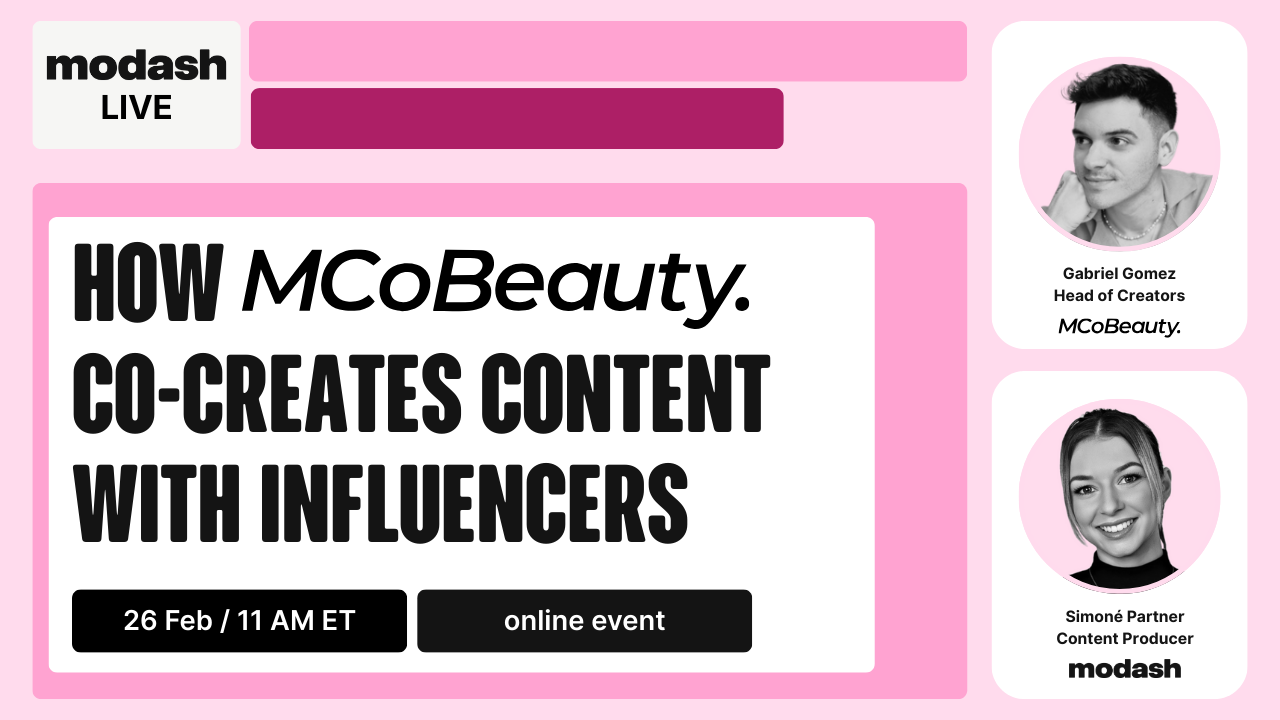
Sponsored posts perform. Then they fade. The creator moves on. The content sits static. You are left starting over.
Co-creation changes that. When brands build content with creators instead of just buying posts from them, they unlock
📈 higher volume
💪 stronger authenticity
🤳 assets that feel native across platforms.
But most brands do not know when to co-create, who to co-create with, or how to structure it without adding production chaos.
Join Gabriel Gomez, Head of Social and Creators at MCoBeauty, hosted by Modash, for a practical session on how co-creation fits into a working creator program. You will see real case studies, learn how MCoBeauty selects creators for co-creation, and understand what production actually looks like.
No Hollywood crew required. Just a repeatable process that scales.
Can’t make it live? Register anyway, and we’ll send you the replay
📝 Give Your Meta Ads a Safe Zone
Most Meta ads don’t fail because of weak messaging. They fail because creative gets cropped, covered, or awkwardly resized across placements.
Meta distributes your ad across feeds, Stories, and Reels. Each placement has different dimensions and interface overlays. When you design for one format and let auto-resizing handle the rest, the platform adjusts your asset mechanically. It does not understand where your headline lives or which visual element carries the message.
Nothing technically breaks. The ad runs. But performance erodes quietly. Text gets squeezed. CTAs compete with buttons. Visual balance feels off. Trust drops in subtle ways that are hard to diagnose later.
Safe space protects against that.
Safe space means keeping your most important content inside protected zones so it does not get cropped or covered by usernames, captions, or swipe controls.
Steps to Protect Your Creative
1️⃣ Build Placement-Specific Versions
Do not rely on one asset. At minimum, create a square 1:1 version, a 4:5 portrait for feed, and a 9:16 version for vertical placements. Each format should be intentionally designed, not stretched.
2️⃣ Design Inside True Safe Zones
Keep headlines, logos, faces, and CTAs well within the visible guardrails. Avoid placing critical text near the bottom where UI elements appear.
3️⃣ Treat Reels and Stories Separately
Both use 9:16, but their interface overlays differ. Adjust positioning slightly so core content is never pushed too high or too low.
4️⃣ Preview Every Major Placement
Before launch, manually preview feed, Stories, and Reels. Look for text collisions, awkward cropping, and balance issues.
5️⃣ Simplify Composition
Avoid cramming too much into one frame. Clear hierarchy ensures even slight cropping does not break the message.
The Takeaway
Safe space does not create upside. It removes unnecessary downside. Clean, intentional creative builds trust instantly. And trust improves performance.
In Partnership with MnH Advisory
Your ROAS Is Lying to You
Revenue is up, and campaigns are scaling, yet ROAS reflects only platform efficiency. It does not account for processor fees, delayed refunds, fulfilment costs, or tax accumulating in the background. Without reconciled books, the margin becomes a projection.
When reconciliations lag or when inventory data sits in another system, gaps form between reported profit and actual cash. The strain surfaces later, often when a supplier invoice or payout delay compresses liquidity.
At MNH Advisory, they run disciplined monthly bookkeeping so your accounts are reconciled against real activity and your reporting reflects actual margin.
That gives you visibility without committing to a full-time $80K to $120K finance hire.
If you are spending aggressively to grow, your numbers should not lag.
Book your free strategy call today!
📝 Run a Full AI Agent From One Tool
Most AI “agent” setups still feel like a puzzle. One tool for browser automation. Another for file access. Another for skills and workflows. And if you want it to behave like a real assistant, you usually need configuration, plugins, or extra infrastructure.
A new desktop agent changes that by combining everything in one place.
It runs on the open-source MiniMax M2.1 model and gives you three powerful capabilities inside a single tool: local folder access, autonomous browser automation, and pre-built expert workflows (similar to agent skills).
Instead of stitching together multiple apps, you get a clean, all-in-one agent that can actually execute tasks end-to-end.
Need it to navigate a website, click buttons, fill forms, and complete steps on its own? It can do that. No extra setup required.
Need it to work like a coding assistant? You can link it to your local files or a repo and ask it to edit codebases, build pages, or explain unfamiliar code in plain language.
And if you want specialized outputs, you can use built-in “experts” for writing, marketing, coding, SaaS, and more. These act like ready-made skill packs you can activate instantly, or customize into your own workflows.
You can now use an alternative to Clawdbot, Claude Cowork and Agent skills… in the same tool!
— Paul Couvert (@itsPaulAi) January 29, 2026
And it’s leveraging the open source model MiniMax M2.1
- Access to LOCAL folders you’re choosing
- Full browser automation
- Ready to use experts (=Claude Skills)
- Free to download… pic.twitter.com/C2uy169oDO
Steps to Start Using MiniMax Agent Desktop
1️⃣ Download the Desktop App
Go to the official download page and install the MiniMax Agent Desktop.
2️⃣ Create a Free Account
Sign up and claim the starter credits included with the account.
3️⃣ Connect Your Work Context
Link the folders, documents, or repositories you want the agent to access. Only the sources you select are used.
4️⃣ Pick an Expert or Use Default Mode
Click the Experts icon and choose a workflow, or stay in general mode for flexible tasks.
5️⃣ Describe the Task in Plain English
Ask it to browse, write, build, edit, research, or automate. The agent handles execution autonomously.
The Takeaway
This is what AI agents were supposed to feel like: one tool, one interface, real autonomy. Instead of juggling multiple systems, you can run browser tasks, local workflows, and expert skills from the same place, at a much lower cost.
We'd love to hear your feedback on today's issue! Simply reply to this email and share your thoughts on how we can improve our content and format.
Have a great day, and we'll be back again with more such content 😍