What Meta Actually Rewards
📈 Build social funnels that convert plus vibe coding anywhere

Hello Readers 🥰
Welcome to today's edition, bringing the latest growth stories fresh to your inbox.
If your pal sent this to you, then subscribe to be the savviest marketer in the room😉
In Partnership with The Shift
Master AI In Just 5 Minutes A Day With This Free Newsletter
AI can do a lot, but most newsletters leave you wondering what’s actually worth trying.
That’s where The Shift comes in.
It doesn’t just tell you what’s new in AI. Every edition always answers ONE question:
“What can you do with AI today that saves you time, money, or effort?”
In The Shift, you’ll get:
✅ Real-world examples of smart AI hacks by brands that you can steal
✅ Mini step-by-step guides to build smarter AI workflows in minutes
✅ Access to 3,000+ curated AI tools and free courses
✅ 500+ powerful AI prompts you can copy/paste/tweak
No hype. No wasted time. No “just in case” news.
If it’s in The Shift, it’s because it can make your work better. Today.
Subscribe to The Shift now - it’s free!
📝 Build Social Funnels That Match How People Actually Buy
Marketers still apply search-style funnel logic to social advertising and are confused when performance stalls. The mistake is assuming intent works the same way across channels. It does not. Search captures demand that already exists. Social creates demand before people realize they are ready.
On social platforms, buyers are scattered across invisible timelines. Some are ready to act immediately. Others are curious but undecided. Most are months away from needing what you sell. You cannot segment intent cleanly. You can only let behavior reveal it.
Steps to Build a Social Funnel That Converts
1️⃣ Start With the Core Message
The ad itself is the filter. A strong message allows high-intent buyers to self-select and convert immediately. Weak messaging cannot be fixed by downstream funnel complexity.
2️⃣ Use Cold Traffic to Learn
Broad audiences are not for efficiency. They are for signal. Measure which hooks, problems, and promises generate clicks, engagement, and early conversions. This data tells you what resonates.
3️⃣ Keep Retargeting Simple
Retargeting is about reminding, not nurturing. Show your strongest message again with small variations such as proof or clarity. Avoid long sequences and over-engineered logic.
4️⃣ Accept Nonlinear Timelines
Some people convert in hours. Others take months. Your job is to stay visible without forcing artificial urgency or assuming readiness.
5️⃣ Add Complexity Only After Proof
Lead magnets, email flows, and segmentation should come after you know what message converts. Build systems around demand that already exists.
The Takeaway
Social funnels are not about pushing people through stages. They are about showing up consistently while intent develops. Nail the message first. Let buyers reveal themselves. When messaging works, the funnel becomes simple and scalable.
📝 Vibe Code From Your Phone With Claude Code and Replit
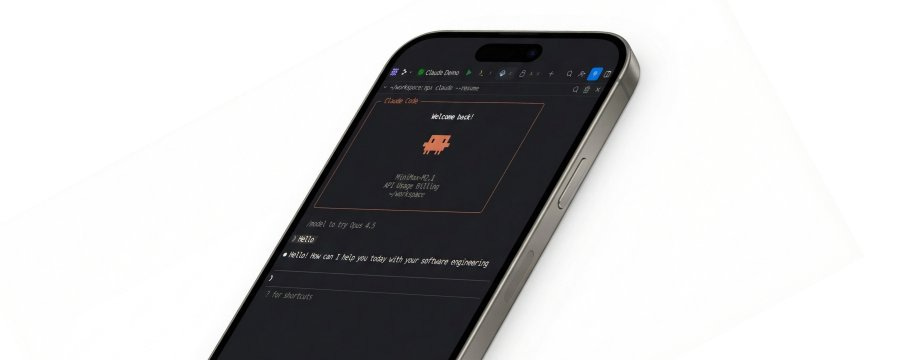
Vibe coding works surprisingly better on a phone than on a laptop. Instead of sitting in front of a screen, you unlock your phone, send a prompt, and let AI handle the heavy lifting in the background. Claude Code already enables this async workflow, but it comes with one major limitation on its own: you cannot preview changes. You are connected to a repository, but you cannot see the UI evolve in real time.
That is where pairing Claude Code with Replit changes everything.
By running Claude Code inside Replit, you get a full cloud-based IDE in your pocket while keeping all the power of autonomous coding agents. You can start tasks, close your phone, and come back later to finish work you can actually see and interact with.
Steps to Set Up Claude Code Inside Replit
1️⃣ Create a New Replit Project
Start a fresh Repl and open the Shell, not the Console. This environment will act as Claude Code’s sandbox and execution layer.
2️⃣ Install Claude Code CLI
Run the global installation command inside the Shell to install the Claude Code CLI. This only needs to be done once per project.
3️⃣ Make the Setup Persistent
Replit resets the home directory but keeps the project directory. Create a permanent configuration folder inside the project and link it so Claude Code settings persist across sessions.
4️⃣ Automate Re-Linking on Startup
Edit the project configuration file and add a startup command that re-links the Claude configuration every time the Repl wakes up. This ensures a hands-free experience.
5️⃣ Authenticate Claude Code
Launch Claude Code from the Shell and follow the authorization flow. If prompted, securely store your API key using Replit’s built-in secrets manager.
6️⃣ Use It Anywhere
Install the Replit mobile app, open your project, launch the Shell, and start Claude Code. You can update UIs, run scripts, and preview changes instantly from your phone.
The Takeaway
Claude Code plus Replit turns coding into an asynchronous, mobile-first workflow. You get background execution, live previews, safe sandboxing, and a full Linux environment in your pocket. Coding no longer requires being glued to a laptop. You move projects forward anytime, anywhere.
We'd love to hear your feedback on today's issue! Simply reply to this email and share your thoughts on how we can improve our content and format.
Have a great day, and we'll be back again with more such content 😍