Turn Personality Into Revenue
📩 Improve email flow conversions without losing voice, plus a faster way to design sites

Hello Readers 🥰
Welcome to today's edition, bringing the latest growth stories fresh to your inbox.
If your pal sent this to you, then subscribe to be the savviest marketer in the room😉
In Partnership with Thesys
Turn your n8n workflows into intelligent AI apps in minutes.
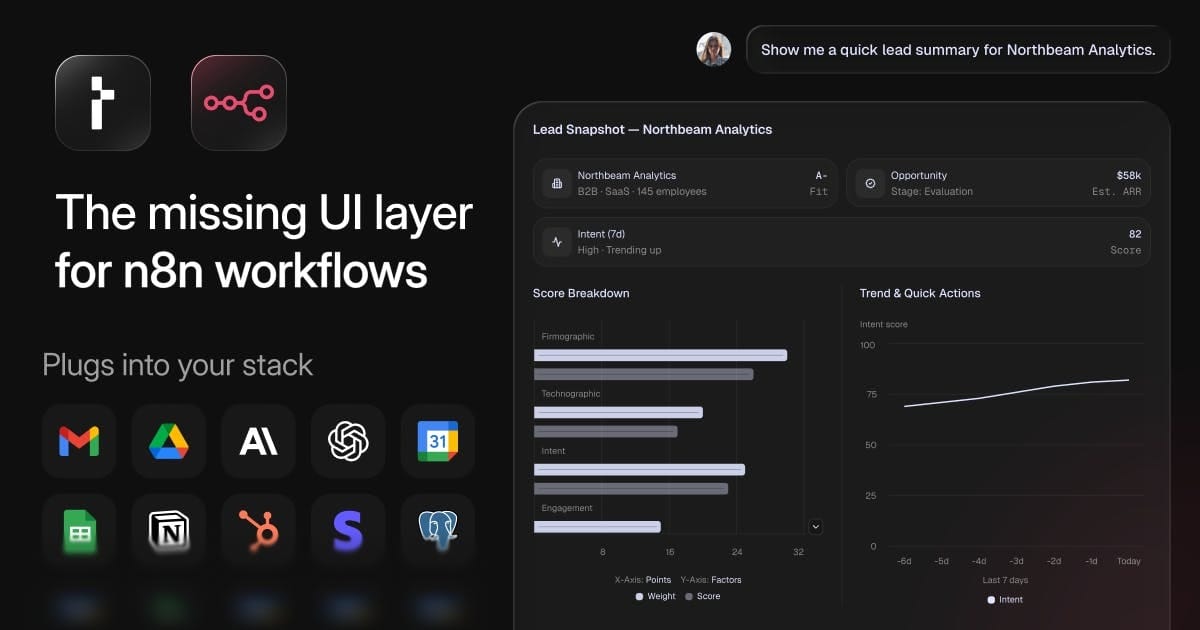
C1 by Thesys sits on top of your existing n8n workflows and turns them into smart, adaptive AI apps with interactive UIs, not walls of text.
Your workflow logic stays exactly the same. C1 simply adds an AI layer that can understand context, update outputs, and modify content automatically.
Build chatbots, internal tools, or AI agents for research, analytics, and automation without writing code or rebuilding flows.
What used to be rigid automations now feel like real products that users can interact with.
Thesys is the UI your n8n workflows have been missing.
Sign up now and get 5M free tokens to get started!
📝 Optimize Your Email Flows Without Losing Brand Personality
Looking to increase conversions from your email flows without sacrificing the voice that makes your brand memorable? The biggest opportunity often is not design or deliverability. It is how personality and value show up at key moments in the customer journey.
Many brands build strong creative identities across visuals, products, and social content. But when automation kicks in, that personality fades. Welcome and abandoned cart flows become functional instead of persuasive. That gap quietly costs revenue.
Steps to Improve Automated Email Performance:
1️⃣ Strengthen the First Impression
Your welcome flow sets expectations. Deliver the incentive clearly and confidently. If you offer a discount or perk, make it obvious and compelling right away. The inbox is where tone is established. Subject lines should signal attitude, not just arrival.
2️⃣ Educate Without Overloading
If your product has a unique material, process, or benefit, explain it simply and early. New subscribers need quick context to understand why your product is different and worth buying.
3️⃣ Pair Storytelling With Action
Brand moments build connection, but conversion requires direction. Balance lifestyle visuals and culture with shoppable elements and clear calls to action while interest is highest.
4️⃣ Move Faster on Abandonment
Timing matters. Cart reminders work best when sent while intent is fresh. Short delays outperform long waits, especially for mobile-first audiences.
5️⃣ Segment for Smarter Nudges
Returning customers often need a reminder, not a discount. First-time shoppers may need an extra push. Simple segmentation unlocks better performance without added complexity.
6️⃣ Add a Final Closing Touch
A short final reminder with urgency or a light incentive can capture last-minute conversions that would otherwise disappear.
The Takeaway
Great email flows do more than look good. They communicate value, move quickly, and carry the same confidence as the rest of your brand. When automation reflects personality and intent, emails stop being background noise and start driving real revenue.
📝 Design and Refine Websites Faster With an AI Visual Editor
Improving frontend design often means juggling between a code editor and a design tool. Small tweaks turn into slow back-and-forth loops, breaking focus and momentum. This workflow shows how to design directly inside your code editor using a visual interface powered by an AI agent, so layout, spacing, and styling updates happen where the code already lives.
Instead of exporting designs, syncing files, or translating mockups into CSS, you can visually inspect elements, request changes in plain language, and apply updates instantly across your site.
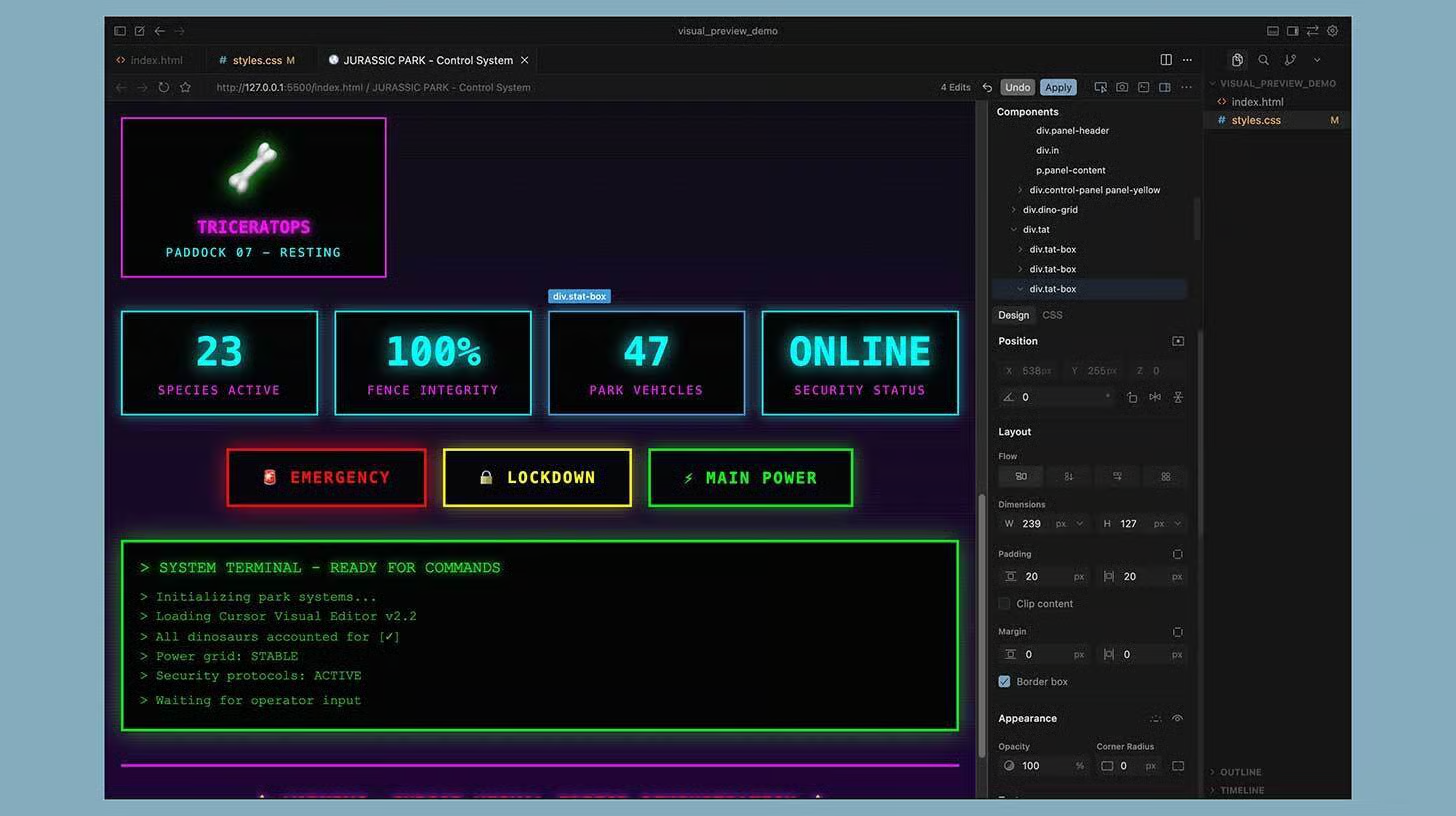
Steps to Design Websites Inside Your Code Editor:
1️⃣ Set Up a Simple Frontend Project
Start with a basic HTML and CSS structure. You can either generate a starter layout by asking the AI agent to create an index file and stylesheet, or use an existing template. This gives you a live surface to design against.
2️⃣ Enable Live Preview
Launch a local live server so your page updates in real time. Copy the preview URL and open it inside the editor’s built-in browser. This keeps code, visuals, and interaction in one place.
3️⃣ Activate the Visual Selector
Turn on the element selector and click directly on any part of the page. Headings, buttons, images, and containers become editable targets instead of lines of guesswork in CSS files.
4️⃣ Edit With Visual Controls or Language
You can adjust properties like spacing, color, font size, and layout directly in the design panel. Or, describe the change in plain language and let the AI agent handle the CSS updates for you.
5️⃣ Apply Changes Confidently
When you apply an update, the agent intelligently modifies classes so changes scale across similar elements. Review the preview, then keep individual edits or approve all at once.
6️⃣ Track Progress With Version Control
Save frequently using version control so you can experiment freely. If a design direction does not work, rolling back is easy and safe.
The Takeaway
Designing inside your code editor removes friction between creativity and implementation. By combining visual editing with AI-assisted changes, frontend work becomes faster, more intuitive, and easier to iterate. You spend less time translating designs and more time shipping polished interfaces.
We'd love to hear your feedback on today's issue! Simply reply to this email and share your thoughts on how we can improve our content and format.
Have a great day, and we'll be back again with more such content 😍