The Cost Of Inaction Grows
🛑 Stop wasting attention on vague benefits, plus instantly refresh your IG aesthetic

Hello Readers 🥰
Welcome to today's edition, bringing the latest growth stories fresh to your inbox.
If your pal sent this to you, then subscribe to be the savviest marketer in the room😉
In Partnership with Cloudways
This Q5, Scale Beyond Limits with Cloudways
Cloudways gives marketers, freelancers, and agencies the power to host unlimited sites, scale instantly, and deliver fast performance without traditional hosting hassles.
Built a high-speed NGINX stack and supported by 24/7 expert support, it lets you focus on building and growing projects that actually move the needle.
Choose from five top cloud providers like DigitalOcean, AWS, Google Cloud, and more, pay-as-you-go plans, and let Cloudways Copilot handle the heavy lifting of server maintenance.
This Q5, you can get 30% off for 3 months + 50 free migrations. Your hosting shouldn’t slow you down; it should help you grow.
Claim Your Cloudways Offer Today!
📝 Write Copy That Triggers Action
Most buying decisions are powered by two forces: approach and avoidance. We either move toward pleasure like money, status, belonging, and ease, or we move away from pain like fear, shame, rejection, and waste. Behavioral research shows the second force usually wins.
The pain of losing tends to feel about twice as strong as the pleasure of gaining. That is why loss-focused messaging often grabs attention faster than benefit-focused messaging.
The key is using this psychology with care. The goal is not fear-mongering. It is creating just enough tension to make the cost of inaction feel real, then offering a clear path to safety and progress.
Steps to Apply Approach and Avoidance Motivation
1️⃣ Start with the loss your buyer wants to avoid:
Lead with a vivid, specific pain point that mirrors what they are already worried about. Think wasted budget, missed revenue, lost time, or being ignored. Specificity makes the threat believable and instantly relevant.
2️⃣ Add a pattern interrupt in ads:
Use a surprising scenario question or visual that makes the viewer pause and imagine the downside. Then immediately follow with reassurance and protection so the message feels helpful not stressful.
3️⃣ Use pain first headlines then a clean escape route:
A strong headline should name the risk. The next line should remove uncertainty by showing the fix steps timeline or outcome. Fear without a solution creates resistance.
4️⃣ Boost email opens with a closed loop:
Subject lines that hint at a mistake or hidden risk can trigger the brain’s danger detector. But always deliver the answer inside the email to protect trust and avoid fatigue.
The Takeaway
Buyers protect themselves before they reward themselves. Use discomfort to earn attention, then switch quickly to clarity proof and a simple next step that makes action feel safe.
📝 Create a Full Instagram Grid From One Product Photo
Want your Instagram feed to look cohesive without planning nine shoots, nine locations, and nine edits? With Nano Banana Pro, you can generate an entire 9-image grid from a single inspiration visual plus one product photo. The tool helps you keep style consistency (lighting, color mood, framing) while producing enough variety to make your feed feel premium, not repetitive.
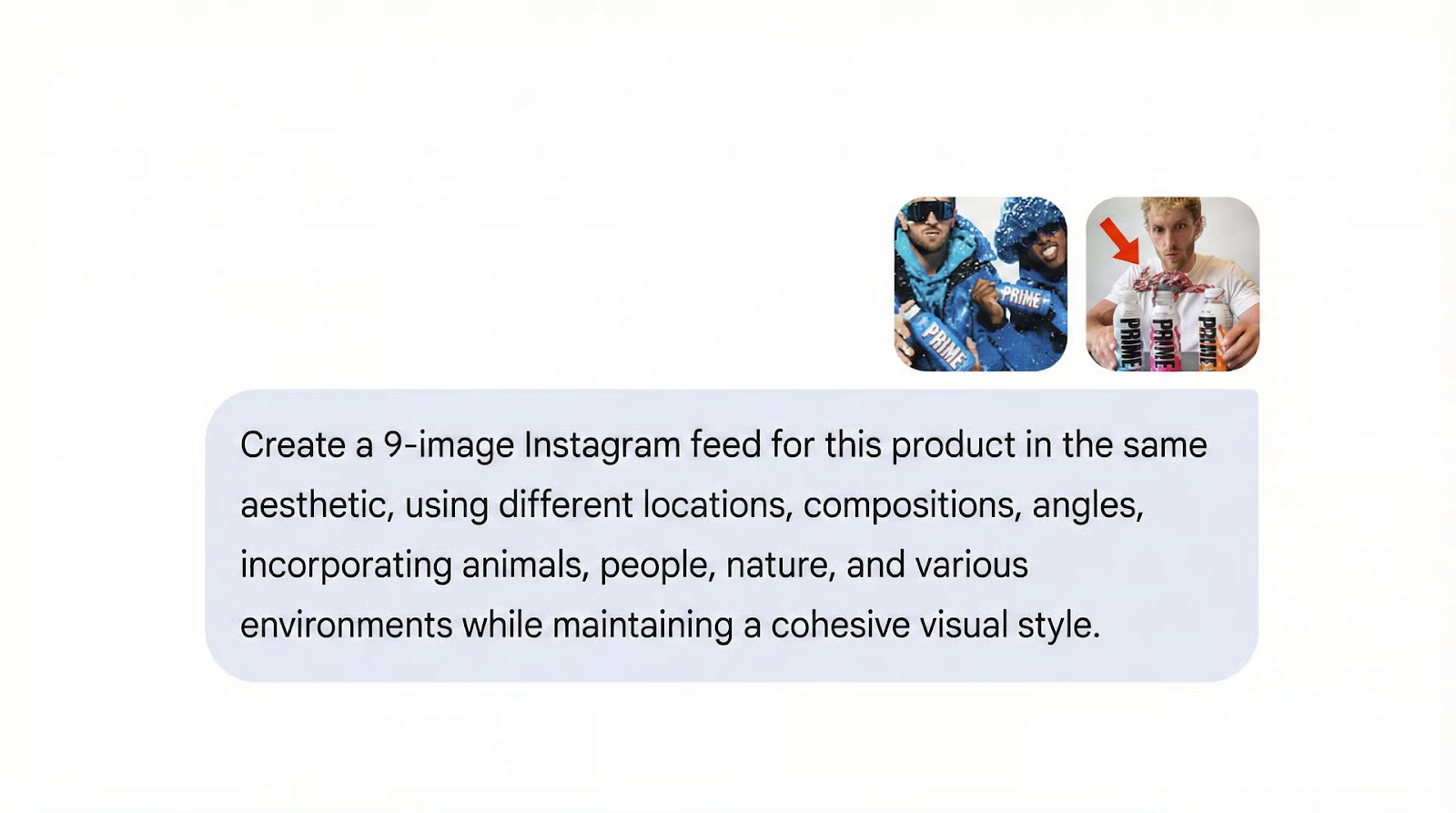
Steps to Create Instagram Product Shots Using Nano Banana Pro:
1️⃣ Set Your Aesthetic With an Inspiration Image:
Open Gemini and go to Tools → Create Images, then enable Pro mode. Upload one inspiration photo that matches the look you want such as minimal studio, lifestyle, streetwear, luxury, cozy home, or bold neon. This reference anchors the entire grid so every image feels like it belongs together.
2️⃣ Upload Your Product and Describe It Clearly:
Add your product image next. Then describe what it is, key materials, colors, and any must-keep details like logo placement, packaging text, or unique shapes. The more constraints you provide, the fewer weird variations you’ll need to fix.
3️⃣ Generate a 9 Image Feed With One Prompt:
Use a direct instruction like: “Create a 9-image Instagram feed for this product with varied angles, people, and environments. Keep the same aesthetic as the reference. Maintain accurate product details and readable branding.”
4️⃣ Review the Grid and Request Specific Fixes:
Scan for consistency and realism. If one shot is off, don’t regenerate everything. Ask to isolate and remake only the weak images, such as “Regenerate image 6 with softer lighting and a closer crop.”
5️⃣ Download and Publish Across Channels:
Pick your best visuals, download, and post to Instagram. You can also repurpose them for TikTok covers, ads, and storefront banners for a unified campaign look.
The Takeaway
A strong reference plus a clear product description turns Nano Banana Pro into a fast content engine. Treat it like a mini art director: give tight constraints, then iterate only where needed.
We'd love to hear your feedback on today's issue! Simply reply to this email and share your thoughts on how we can improve our content and format.
Have a great day, and we'll be back again with more such content 😍