Stop regret from killing your sales
🧠Master the Psychology of Regret-Free Buying and ship product features with zero coding

Hello Readers 🥰
Welcome to today's edition, bringing the latest growth stories fresh to your inbox.
If your pal sent this to you, then subscribe to be the savviest marketer in the room😉
In Partnership with Lindy
Meet the AI That Actually Gets Work Done
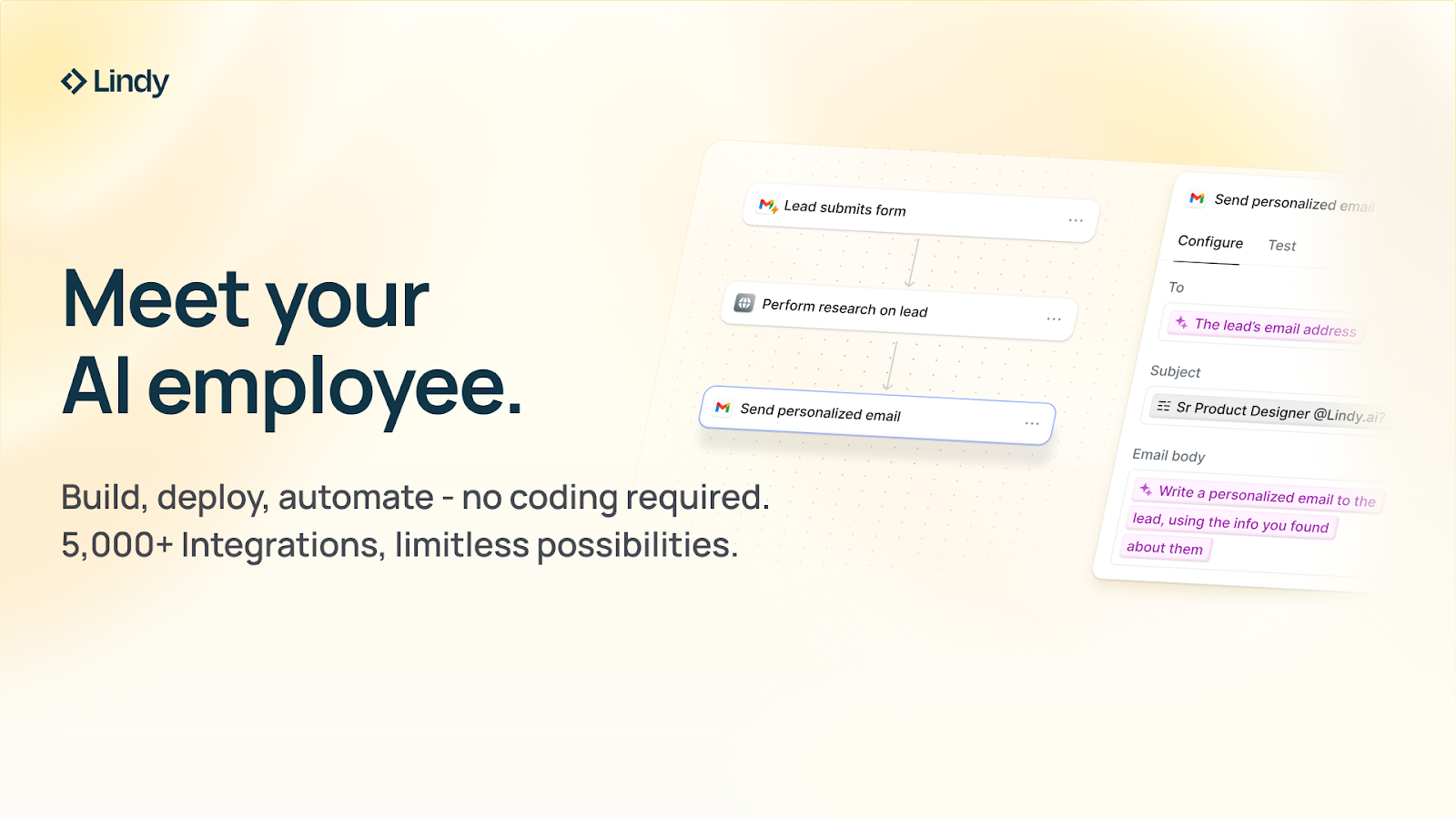
Ever wish ChatGPT could actually do the work, not just talk about it?
That’s Lindy, your 24/7 AI employee that builds, runs, and delivers without a single line of code. Just describe what you need, and Lindy handles the rest, from automating leads to managing weekly reports while you focus on growth.
- Create booking platforms and lead follow-ups in minutes
- Automate reporting, sales, and support across your stack
- Reclaim 10+ hours a week without adding headcount
Top operators call Lindy their “AI team that never sleeps,” driving faster turnarounds, fewer errors, and more profitable weeks.
Picture waking up to new leads handled, reports ready, and no missed tasks, all without hiring a single person.
Claim $20 in free credits and automate your first workflow today!
🧠 Master the Psychology of Regret-Free Buying
Understanding why people buy often has less to do with logic and much more to do with avoiding regret. Behavioral scientists call this Regret Aversion, the hidden force shaping every purchase decision.
Whether someone is choosing dessert, buying a product, or deciding whether to attend a conference, their mind is constantly weighing one thing: which choice will I regret less?
Here’s how this plays out and how marketers can use it to drive more confident, regret-free purchases.
Why Regret Shapes Every Buying Decision
When customers land on your website, they aren’t just evaluating features or prices. They’re subconsciously asking:
“Will I regret buying this… or regret not buying this?”
As behavioral expert Rory Sutherland explains, people prefer blending into their peer group rather than risking a social embarrassment or a “bad purchase.” Buyers are actively scanning for signs that your product is:
- Safe
- Popular
- Endorsed
- Low-risk
- Worth the investment
They aren’t just trying to make a smart decision, they’re trying to avoid a bad one.
Steps to Apply Regret Aversion (and Increase Sales)
1️⃣ Answer Objections Before They Form
Your buyer hesitates because they fear future regret. Use customer research, support inquiries, and review mining to uncover:
- What almost stopped them from buying
- What they worried might go wrong
- What helped them feel confident enough to purchase
Then, address those objections in your product pages, ads, FAQs, and emails.
2️⃣ Remove Risk With Guarantees
People fear getting burned again. Offering clear, prominent guarantees reduces the emotional weight of the purchase and makes the choice feel safer.
You’re not reducing price, you’re reducing regret.
3️⃣ Create Immediate Post-Purchase Wins
The quickest way to neutralize buyer’s remorse is to give them a small, early success:
- A quick-start guide
- A setup checklist
- A welcome video
- A “first win” tutorial
This turns anxiety into excitement, just like the sleek onboarding flow of a new phone.
The Takeaway
Every purchase comes down to one question:
“Will I regret buying this or regret missing out?”
Smart marketers remove regret from the buying path. Brilliant marketers show customers that not buying is actually the bigger risk. Turn hesitation into confidence by clearly showing why your product is the choice they won’t regret tomorrow.
🧑💻 Ship Code Changes Without Writing Code
Making updates to a codebase traditionally requires opening your IDE, writing code manually, and navigating Git workflows. With Codex, you can now plan changes, implement features, and open pull requests using natural language prompts.
Whether you’re maintaining a small project or contributing to production code, Codex helps you work faster with AI-powered agents that handle the heavy lifting.
Steps to Write and Ship Code Using Codex
1️⃣ Access Codex Through ChatGPT:
Start by opening ChatGPT and selecting Codex from the left sidebar. This takes you to the main interface where you can configure your development environment, connect repositories, and choose how agents will interact with your code.
2️⃣ Connect Your GitHub Repository:
Click Manage environment, choose your GitHub organization, and select the repository you want to modify. Codex will guide you through authentication and let you specify execution settings such as branch protections or safe-mode operations. This ensures the AI operates inside controlled boundaries.
3️⃣ Plan Before You Build:
If you want to understand the codebase or scope a project, select Plan mode.Try prompts like: “Can you give me insights on what this project is about?” Codex will explain the structure, dependencies, and core functionality of your repo perfect for onboarding or pre-build brainstorming.
4️⃣ Execute Changes Using AI Agents:
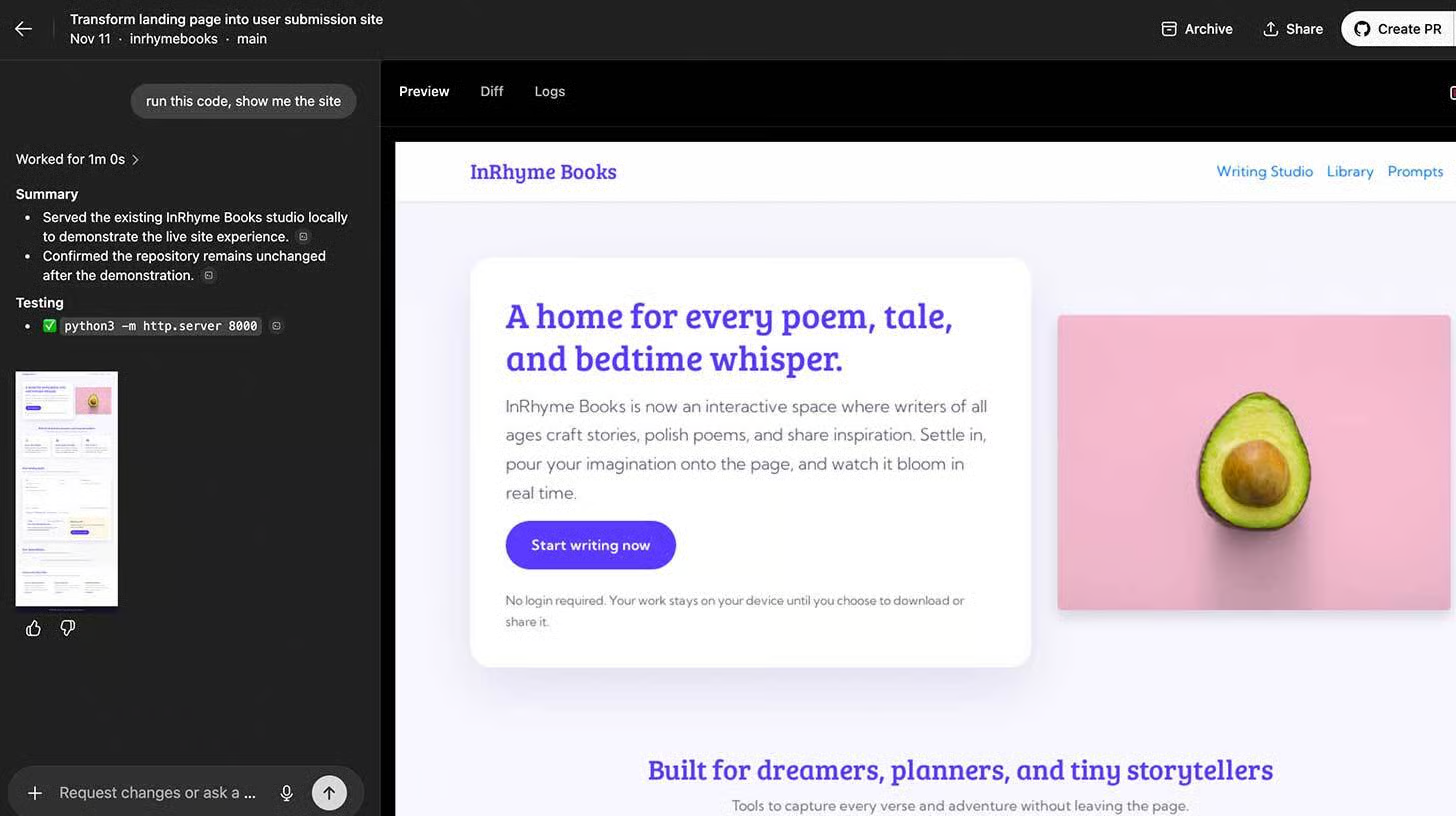
Switch to Execute mode to let Codex modify the repository. Provide a clear prompt such as: “Transform this static landing page into a site where users can paste their own stories or poetry.” Codex will write code on a new branch, update files, and show previews. You can ask: Run this code and show me the site, and test the output instantly.
5️⃣ Open a Pull Request With One Click:
Once the changes look good, select Create PR. Codex packages the updates, generates a description, and opens a pull request in GitHub for review or merge.
The Takeaway
Codex turns natural language into working code, dramatically reducing time spent on setup, manual edits, and routine Git operations. By using planning and execution modes together, you can safely ship high-quality changes while staying focused on product vision rather than syntax.
We'd love to hear your feedback on today's issue! Simply reply to this email and share your thoughts on how we can improve our content and format.
Have a great day, and we'll be back again with more such content 😍