Scale faster using post IDs
🚀 Carry engagement into new ads and create professional slides with Kimi K2

Hello Readers 🥰
Welcome to today's edition, bringing the latest growth stories fresh to your inbox.
If your pal sent this to you, then subscribe to be the savviest marketer in the room😉
In Partnership with Khaki
Subscribing to newsletters is easy, reading them should be too.

Not only do we write Growth Gen, but we subscribe to and read a lot of them ourselves. But with more newsletters comes more responsibility, and our inbox can’t always keep up.
We recently found Khaki, a free app built exclusively for managing and reading newsletters. They’re still in beta, but the interface is super clean and distraction-free, which makes keeping up with our favorite reads easier than ever.
Sign up with your Gmail and access code NEWSLETTER to try it for yourself!
📝 Carry Social Proof Across Ads Using Post IDs
During Q4, social proof becomes one of the most influential conversion drivers. With higher budgets, faster spend, and increased competition, engagement on your ads compounds quickly.
Comments, likes, tags, and real conversations act as instant validation for new shoppers and help Meta’s algorithm identify your ads as high-quality content worth delivering. Using Post IDs ensures that all this engagement continues to work for you instead of starting from zero every time you duplicate an ad.
Steps to Use Post IDs for Social Proof
1️⃣ Locate the Existing Ad Post:
Open Ads Manager and click on the ad you want to duplicate. Select Preview, then open the drop-down arrow on the top right and choose Facebook post with comments. This displays the live version of the ad with engagement.
2️⃣ Find the Post ID:
Look at the URL of the post. After the /posts/ section, you’ll see a long number. That number is your Post ID. Copy it. This is the unique identifier that lets you reuse the same engagement.
3️⃣ Create a New Ad With the Same Post:
Start setting up a new ad. Under Ad Setup, choose Use existing post instead of creating a new ad from scratch. Paste the Post ID into the provided field.
4️⃣ Publish and Compound Engagement:
Once you publish, your new ad will show the same comments, likes, shares, and social proof as the original post. Every new interaction improves performance across all ads using the same ID.
The Takeaway
In Q4, every comment, testimonial, and “this actually works” boosts trust. Post IDs help you consolidate engagement, extend the lifespan of winning creatives, and scale more efficiently without losing the momentum your audience has already created.
📝 Create Professional Slides Instantly with Kimi K2
Creating polished presentations usually takes hours of outlining, formatting, and adjusting visuals. With Kimi K2 Slides, you can now generate complete, professional presentations from a single prompt using a powerful 1T-parameter model designed specifically for structured layout generation.
Whether you’re preparing a pitch deck, business plan, or educational talk, Kimi Slides handles everything from slide flow to design consistency.
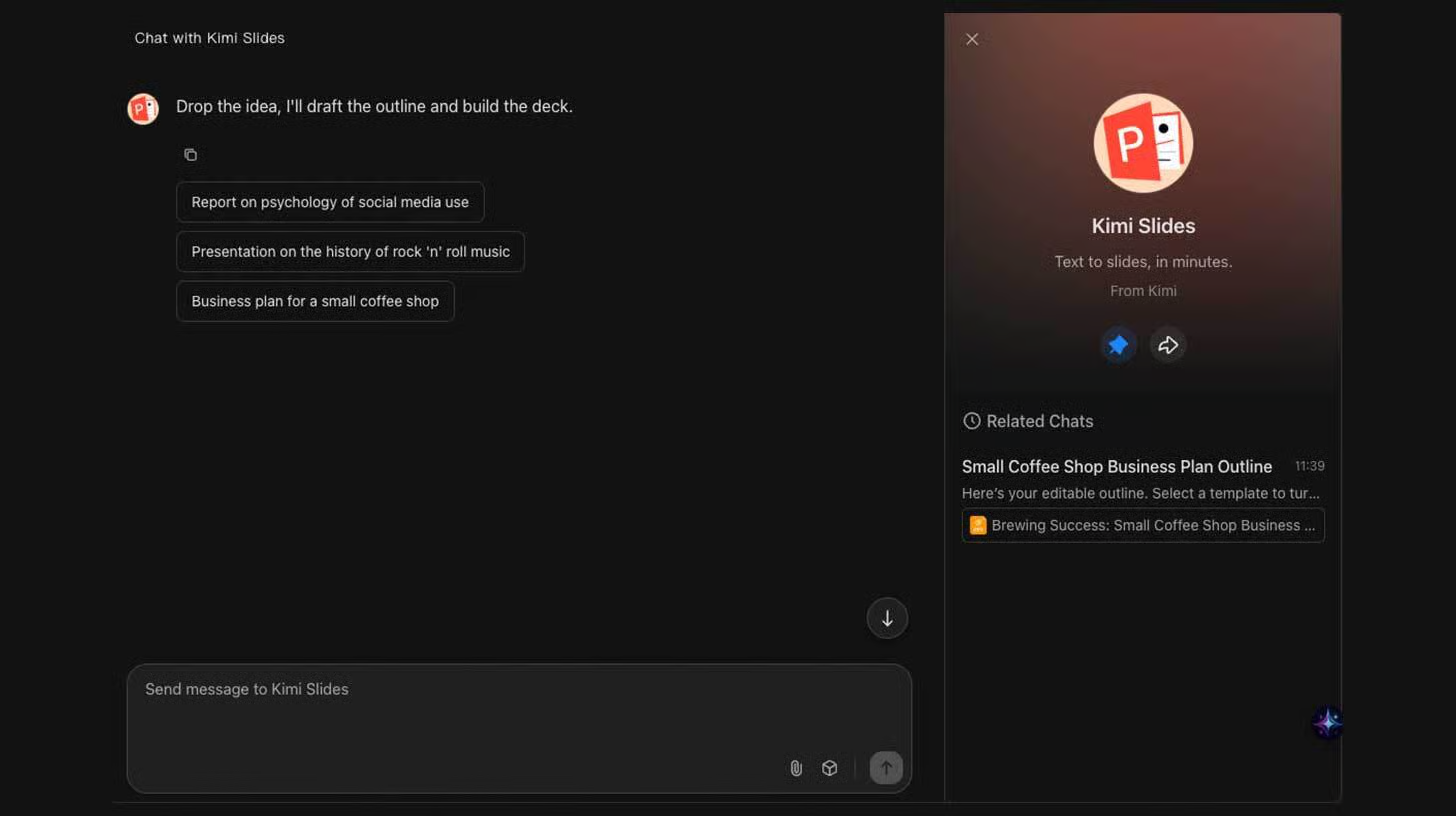
Steps to Create a Presentation Using Kimi Slides
1️⃣ Log In and Access Kimi Slides:
Start by visiting Kimi and signing into your account. From the dashboard, select Kimi Slides, where you’ll find free credits available for testing. This dedicated slide-generation workspace is optimized for both speed and quality.
2️⃣ Enter Your Presentation Prompt:
Describe the presentation you want to build, such as: “Create a business plan presentation for a small coffee shop.”Choose between Preset Mode, which follows a structured, traditional presentation outline, or Adaptive Mode, which produces more creative, visual slide formats.
3️⃣ Choose Your Design Style:
Kimi Slides offers multiple templates, ranging from minimalist layouts to bold, colorful themes. Select a style that matches your brand or objective. Once ready, click Generate Slides. The system typically produces 14 to 18 slides within 5 to 10 minutes.
4️⃣ Review and Edit Your Presentation:
After generation, review the slides to ensure accuracy, flow, and tone. You can manually refine text, reorder slides, or adjust visuals directly within the editor.
5️⃣ Download as a PPTX File:
When finished, export your deck as a PPTX file with fonts embedded, ensuring seamless formatting across devices and presentation software.
The Takeaway
Kimi K2 Slides transforms presentation creation into an automated, design-ready workflow. By combining structured prompting with high-quality templates, you can produce polished, brand-aligned slides in minutes instead of hours. Experiment with different prompts and styles to discover the formats that resonate best with your audience.
We'd love to hear your feedback on today's issue! Simply reply to this email and share your thoughts on how we can improve our content and format.
Have a great day, and we'll be back again with more such content 😍