Exclusions That Protect Profit
🧩 How top brands scale ads with control, plus how to run AI models locally without cloud

Hello Readers 🥰
Welcome to today's edition, bringing the latest growth stories fresh to your inbox.
If your pal sent this to you, then subscribe to be the savviest marketer in the room😉
In Partnership with Fullcart
Your data knows what’s wrong, you just can’t see it.
You already have Shopify, Meta, and Klaviyo, but none of them talk to each other. So you waste nights trying to figure out why ROAS dipped or which ad is quietly burning cash. By the time you find the answer, the damage is already done.
Fullcart is the AI Operator that brings your data, ads, and ops together into one intelligent system that analyzes, answers, and fixes what’s broken before you notice.
📊 Connect Shopify, Meta, and Klaviyo to see every metric in one clean, real-time dashboard.
🤖 Ask anything like “Which campaign drives repeat buyers?” and get instant, analyst-grade answers.
⚙️ Automate ops to pause bad ads, sync inventory, or issue refunds without leaving your screen.
💡 Top teams save 8+ hours a week and make faster, higher-margin decisions.
Imagine waking up to one dashboard that knows what’s breaking, why, and how to fix it before you do. That’s Fullcart.
Try Fullcart free today and see how your data can finally start working for you!
📺 How to Build a Scalable TV and Meta Growth System
Most growth failures do not come from bad ideas. They come from a lack of control. Whether you are testing TV channels or scaling Meta ads, the biggest wins come from structured systems, not shortcuts.
Steps to Choose the Right TV and CTV Setup:
1️⃣ Avoid One-Lane Platforms
Many TV platforms rely only on programmatic inventory. This limits transparency and weakens measurement. Look for partners that offer access across multiple TV lanes, including direct publisher inventory and linear placements.
2️⃣ Demand Real Transparency
You should know exactly where your ads run and what inventory you are buying. Lack of visibility often leads to wasted spend and low-quality placements.
3️⃣ Measure What Actually Matters
Focus on incrementality and outcomes, not surface-level reporting. If measurement cannot hold up under scrutiny, it cannot guide scaling decisions.
Steps to Test and Scale Meta Ads With Control:
4️⃣ Use ABO for Testing
Adset budget optimization gives you control. Test one concept per ad set with three to five variations. Start each ad set at a fixed daily budget so winners earn spend based on performance, not engagement signals.
5️⃣ Follow a Weekly Cadence
Launch tests midweek so they run through high-intent weekends. Review early signals, let tests mature, then make final decisions before the next cycle.
6️⃣ Scale With a Budget Ladder
Increase budgets gradually every few days instead of jumping aggressively. This allows stable learning and faster scaling without breaking performance.
Steps to Unlock Creative and Offer Wins:
7️⃣ Mine Angles From Customers
Use reviews, comments, and feedback to find real buying motivations. Progress creatives from static to video to dedicated landing pages.
8️⃣ Strengthen Offers and Pages
Test high perceived value incentives, clear price anchoring, and landing pages that match product complexity. Track profit per visitor, not just conversions.
The Takeaway
You do not need more hacks. You need a repeatable system that controls testing, scaling, and measurement. When structure improves, growth follows.
🧠 Run AI Models Locally With Zero Cloud
Most “local AI” setups still come with hidden strings attached, like logins, cloud routing, or messy integrations. But a new open source option makes it far easier to run models fully on your own machine while keeping your workflow developer-friendly.
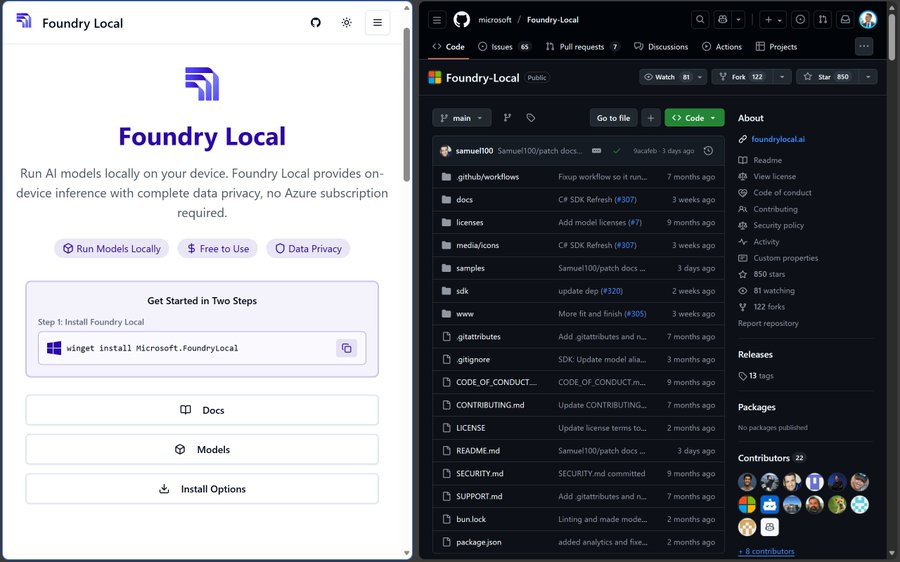
Foundry Local lets you run generative AI models directly on your device with no cloud dependency, no subscription, and no authentication, while still exposing an OpenAI-compatible API so you can plug it into existing apps without rebuilding your stack. It’s designed for privacy-first use cases, offline environments, predictable costs, and faster iteration when you just want models running locally.
Steps to Run Local Models on Your Machine:
1️⃣ Install the Tool
On Windows, you can install it using the package manager command shown in the official docs. On macOS, you can install it via Homebrew.
2️⃣ Check Available Models
Use the CLI to view the model catalog and pick what you want to run. The tool can also select a variant that matches your hardware setup.
3️⃣ Start the Local Server
Once installed, run the local service to expose endpoints for inference on your machine. This becomes the bridge between your app and on-device models.
4️⃣ Connect Using an OpenAI Compatible API
Point your existing OpenAI style client to the local base URL and keep your app logic nearly identical while swapping the backend from cloud to local.
5️⃣ Build Private Workflows
Because inference happens on the device, data stays local, which can improve privacy and reduce latency depending on your hardware.
The Takeaway
Local inference is becoming a real default option. If you want privacy, control, and easy integration without cloud overhead, this setup gives you a clean path to ship local AI in real apps.
We'd love to hear your feedback on today's issue! Simply reply to this email and share your thoughts on how we can improve our content and format.
Have a great day, and we'll be back again with more such content 😍